Douyin is an APP that many friends like to play, so how to set up Douyin dynamic wallpaper?
1. Probably the most popular APP right now is Douyin. Many friends are addicted to Douyin and have to browse it for a while every day. Sometimes they come across a video they like but don’t know how to set up Douyin dynamic wallpaper. Next, I will tell you.

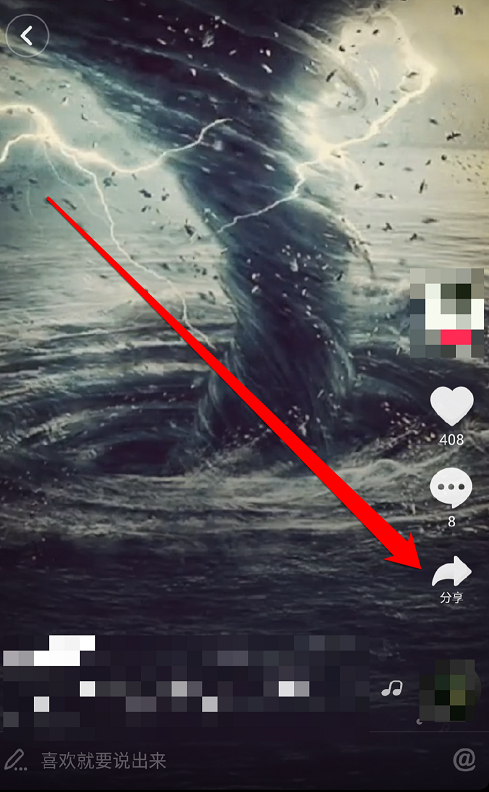
2. First, we need to prepare a Douyin on the mobile phone at the same time, and then everyone can find a short video they like. After clicking it, you will see the "Share" button, as shown in the picture below, just where the arrow indicates.
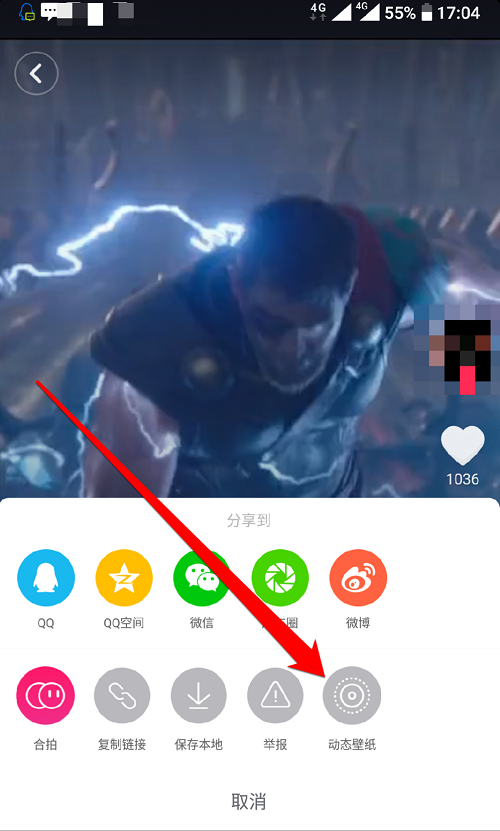
3. After clicking, you will enter the sharing page. You can share the video to your favorite social platforms. If you want to set a dynamic wallpaper, you need to find the "Dynamic Wallpaper" option, as shown in the figure below.
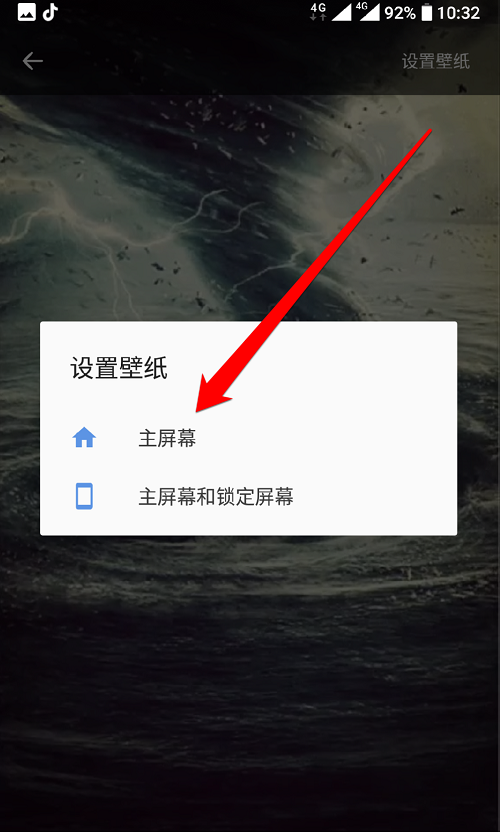
4. Finally, if you have an Android phone, you need to install a dynamic wallpaper plug-in, and then it will be set automatically; if you have an Apple phone, you can directly find the saved wallpaper in "Photos" and then set it manually.
The above is the tutorial compiled by the editor for you on how to set up Douyin dynamic wallpaper. If you want to set up dynamic wallpaper, hurry up and learn it.