wps tutorial to remove WPS document watermark
Time: 2024-05-11Source: Huajun InformationAuthor:
Nowadays, many netizens pay attention to copyright issues, especially for some professional articles. Copyright issues are particularly important. Therefore, netizens will add watermarks to the documents they write, both to indicate copyright and to increase visibility. However, this is also a hardship for netizens who downloaded this article and prepared to quote it. So, follow the Huajun editor to find out.
How to remove watermark from WPS documents:
1. We open the document and you can see the watermark. Such a document cannot be printed directly;
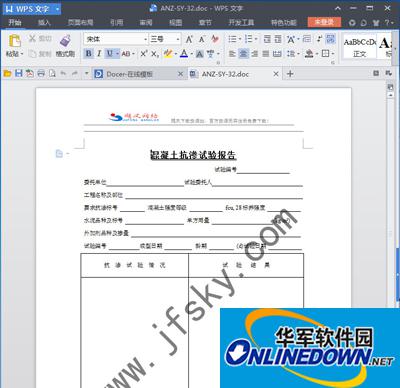
How to remove watermark from WPS documents
2. Click the "Insert" menu, click Watermark === to delete the watermark;
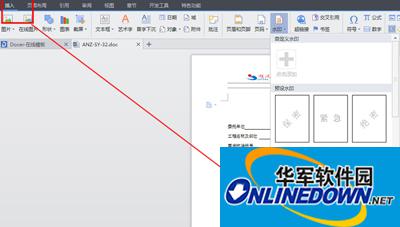 law
law
How to remove watermark from WPS documents
3. Let’s see the effect.
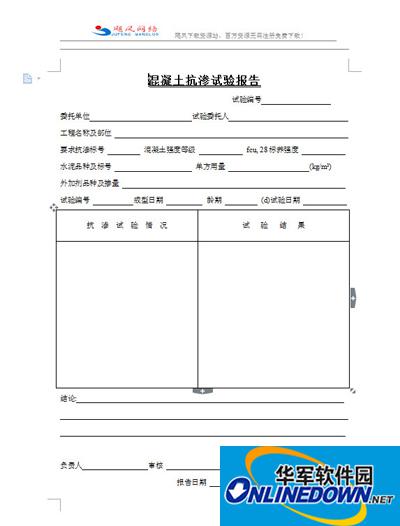
How to remove watermark from WPS documents
Popular recommendations
-
easyconnect
Version: 7.6.7.0Size: 26.2MB
Mobile remote control allows employees to log in to the company intranet and related software to perform remote operations when they are not in the company. EasyConnect is powerful, allowing...
-
wps installation package
Version: 12.1.0.20305Size: 248MB
The wps installation package is a compact and powerful office software. WPS software is easy to operate. You can use it for text, tables, PPT presentations, etc...
-
Quick translation
Version: 1.7.9Size: 2.70MB
Swift Translation is an intelligent translation software for efficient office and personal learning. It integrates text translation, document translation, screenshot translation and multi-format...
-
bean bag
Version: 1.82.5Size: 216 MB
Doubao PC version is an AI smart assistant launched by ByteDance. It supports Windows and Mac systems and integrates AI search, writing assistance, translation,...
-
EV screen sharing
Version: 2.4.0 official versionSize: 43.2MB
EV Screen Sharing is a screen sharing software with real-time screen sharing, secure file transfer, ultra-low latency and other functions. Using LAN...