How to use the empty lens in the computer version of the clipping - How to use the empty lens in the computer version of the clipping
Time: 2024-05-11Source: Huajun Software TutorialAuthor: Ai Xiaomo
Recently, some friends have asked the editor how to use the empty lens of the computer version. The following will bring you the method of using the empty lens of the computer version. Friends who need it can come and learn more.
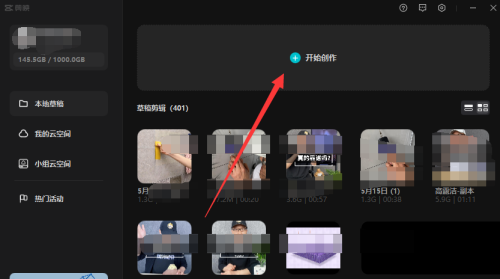
1. Open the computer version of the video clip and click the plus sign above to enter the home page.
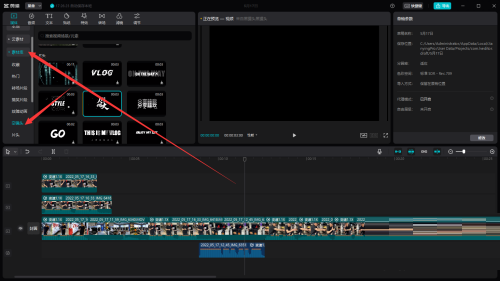
2. Then click on the empty lens in the material library.
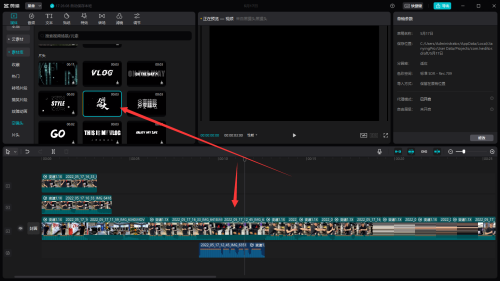
3. Finally drag it to the desired position in the timeline.
The above is all the content that the editor has brought to you on how to use the blank lens of the computer version. I hope it can help you.
Popular recommendations
-
-
MKV cutter
Version: 2025.6Size: 11.2MB
MKV editor is currently the fastest video cutter and supports lossless video cutting. The best...
-
-
Ruidongtiandi video editing expert
Version: 10.1Size: 26.90 MB
The latest version of Ruidongtiandi Video Editing Expert is a multi-functional video editing and processing software. The official version of Ruidongtiandi Video Editing Expert supports video merging...
-
Cutting
Version: 9.5.0Size: 628 MB
The latest version of Jianying is a powerful video production tool. The official version of Cutting has added HDR import and export, key frames, preset styles, etc. Users can...