How to create new employees after starting Tencent Qidian? Some friends may not know how to do it yet, so those who don’t know how to do it should hurry up and learn the method of creating new employees in Tencent Qidian brought by the editor.
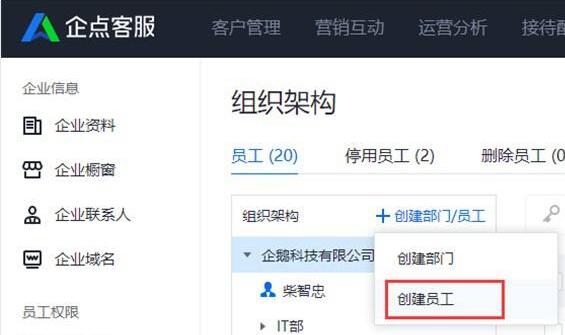
The first step is to click the "Create Employee" button and fill in the employee information.
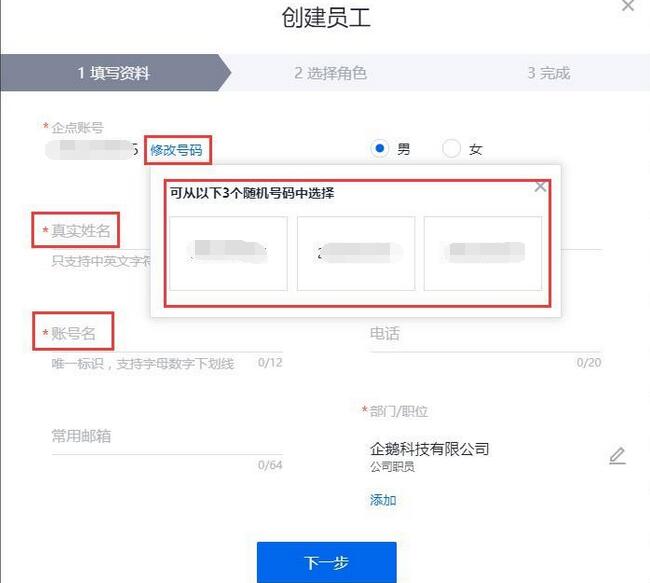
In the second step, the Qidian account number is the QQ system number (the number can only be selected when creating a member, and is not selected when editing existing members), the real name is the internal display nickname, the account name is the unique identification within the Qidian system, and the external nickname is the customer-facing session nickname.
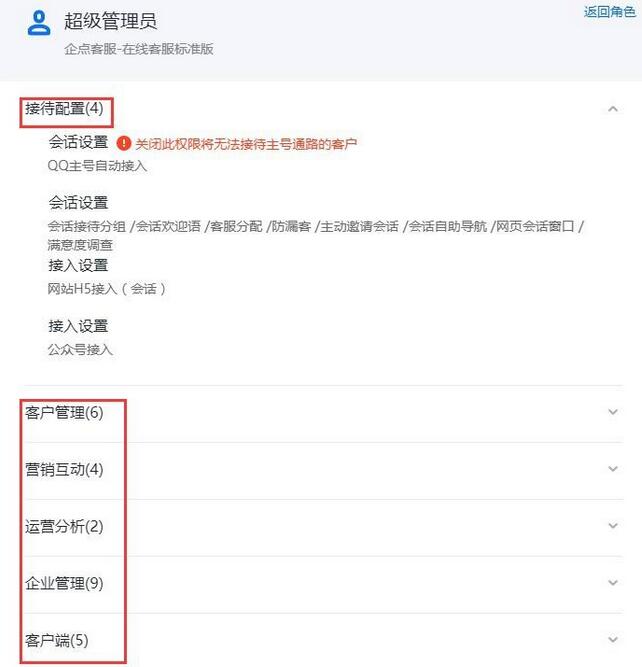
The third step is to configure management permissions for employees. You can directly select an existing role template (such as the default "super administrator" role), or you can create your own role. In setting permissions, each large module can pull down and check the subdivision permissions of small modules.
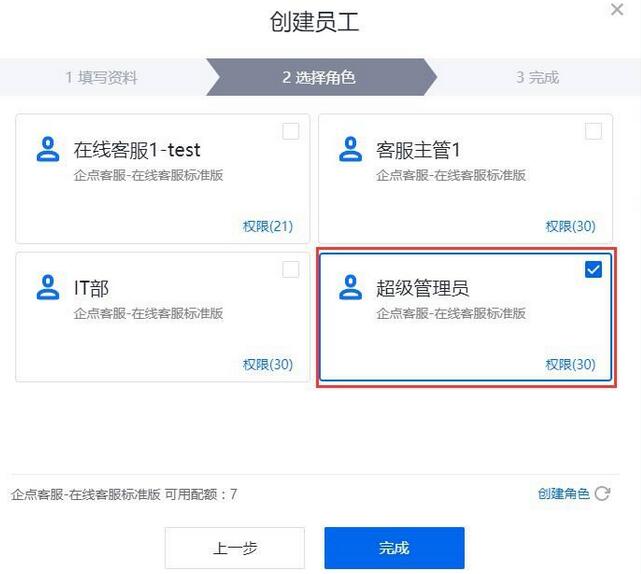
The fourth step is to click "Finish" and the employee will be created successfully.
The above is the method of creating new employees in Tencent Qidian brought by the editor. I believe it can help some novice users.