Some netizens have started using MathType but do not know how to edit limit functions. This article introduces the operation content of editing limit functions in MathType. Friends who need to learn can take a look at the following article. I believe it will be helpful to everyone.
1. Open MathType and enter the formula editing area.
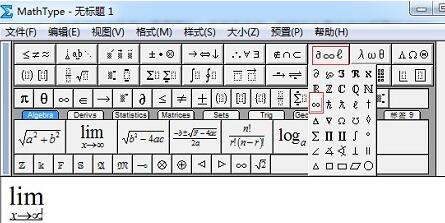
2. Enter the letter lim, which is the symbol of the limit function.
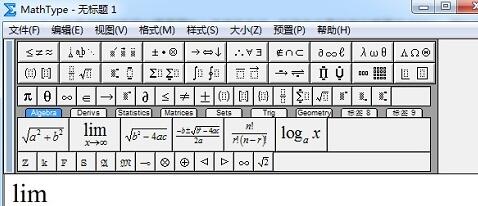
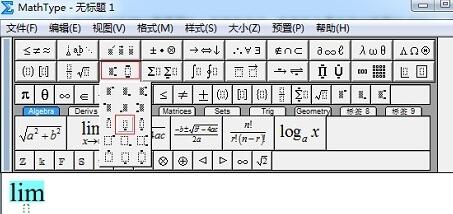
3. Under normal circumstances, when seeking limits, you need to enter limit conditions. Limit conditions are an important part of the limit, so they are indispensable in the limit function. When entering limit conditions, select the entered lim and select the "Medium Superscript" template in the "Superscript and Subscript" template in the MathType toolbar.
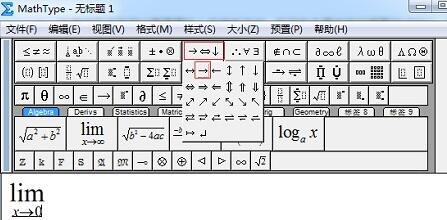
4. Enter the limit condition in the dotted box below. For example, if x approaches 0, use the keyboard to enter x, then select the "right arrow" in the "Arrow Symbol" template, and finally enter 0 to complete.
Tips:
a. The order of steps 2 and 3 can be reversed, that is, first use the medium superscript template and then enter lim. Their order does not affect the input of the entire limit symbol.
b. If the limit condition is to approach infinity, just use the “infinity” symbol in “Miscellaneous Symbols”.
… …… Friends who don’t know the related operations of MathType editing limit function, don’t miss this article brought by the editor.