The operation process of deleting redundant images on DingTalk
Time: 2022-02-23Source: Huajun Software TutorialAuthor: Xiaoxin
In the software DingTalk, many friends have recently asked about the operation of deleting redundant pictures. It is actually very simple. Today I will introduce to you the operation process of deleting redundant pictures on DingTalk. Come and take a look.
Click the button in the group to start a group chat.
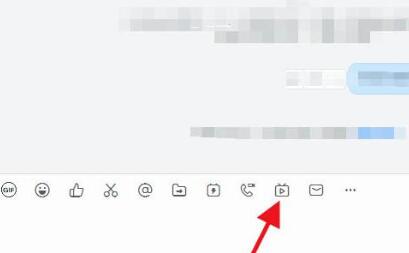
The best mode is the professional mode, which is rich in functions. Click to enter the live broadcast settings.

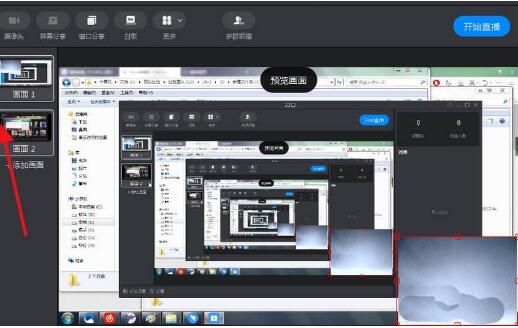
After adding the screen, add extra screens by clicking "Add Screen". To delete the second screen, click to display the first screen.
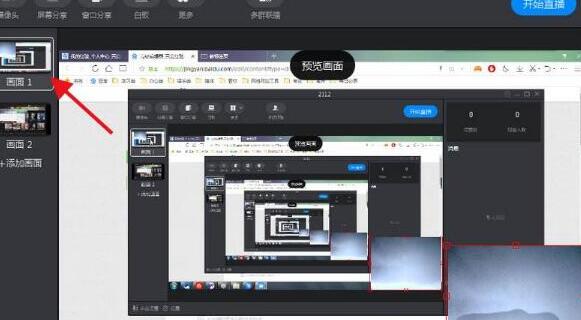
鼠标放置在画面2上,左上角会显示“X”出来,点击即可。
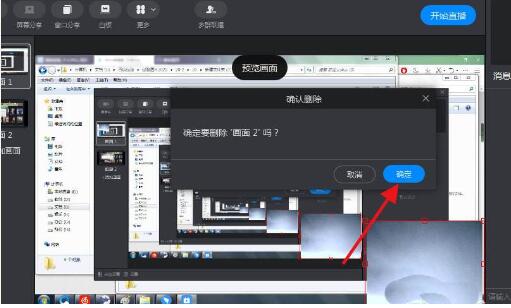
Click "OK" to delete screen 2.
Friends who still don’t understand the operation process of deleting redundant images on DingTalk, don’t miss this article brought by the editor.
Popular recommendations
-
-
Hero Excel set wizard
Version: 1.007Size: 5MB
Hero Excel Template Wizard is a truly usable template printing software that can fill templates with Excel data and perform batch printing. Can be customized...
-
Quotation software
Version: 1.1 official versionSize: 139MB
Make a quotation, make a quotation form, open a cloud store, cloud quotation, and smart quotation.
Quotation software features
...
-
Enjoy sales XP version
Version: 1.6.2Size: 27.1MB
The official version of Fenxiangxiike XP version is a professional and powerful WinXP-specific mobile office service platform. Fenxiangxiike XP version supports lead management, customer management, business...
-
Enjoy sales
Version: 3.1.2Size: 53 MB
The official version of Fenxiangxike is a very good desktop client for Windows. The official version of Fenxiangxike is more powerful and practical than mobile phones. It can make work communication faster...