Friends, do you know how to create a new layer in Photoshop? Today I will explain how to create a new layer in Photoshop. If you are interested, come and take a look with me. I hope it can help you.
How to create a new layer in Photoshop - How to create a new layer in Photoshop
Step 1: First, we open the Photoshop software on the computer and enter the [Photoshop interface], as shown in the figure below.

Step 2: Then click [Layer - New], as shown in the picture below.
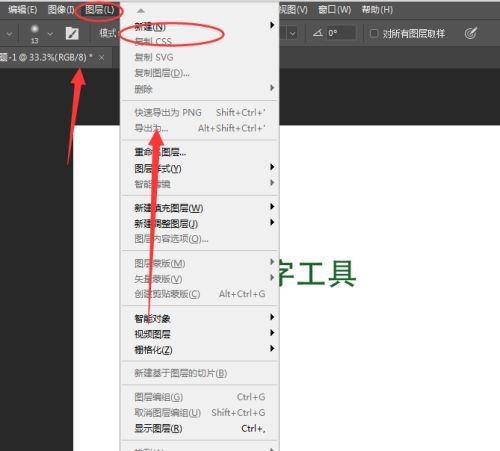
Step 3: Then select [Layer], as shown in the picture below.

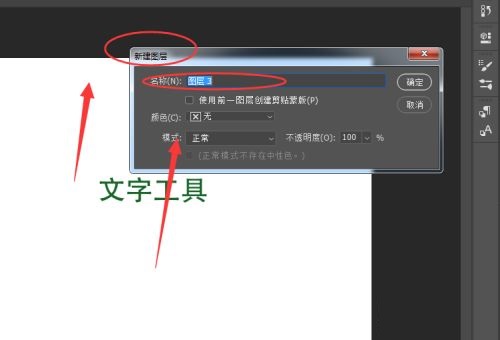
Step 4: Then a [New Layer] window will pop up, and you can rename [Layer Name], as shown in the figure below.
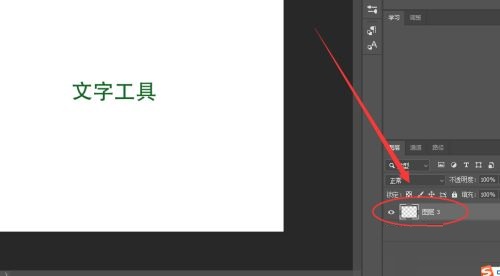
Step 5: Finally, the new layer is successfully created, as shown in the picture below.
The above is the entire content of how to create a new layer in Photoshop brought to you by the editor. I hope it can help you.