Seal Maker is a software that is easy to use and comes with its own logo pattern library. Many users want to use Seal Maker, but don’t know how to install it? Next, the editor will tell you about the installation method of Seal Maker, hoping to help friends in need.
1. After downloading Seal Maker Master from this site, get a compressed package locally, use 360 compression software to decompress and open the software, select the "Seal Maker Master V11.0" folder after opening, click "Extract to" at the top of the 360 compression software to directly decompress the software.
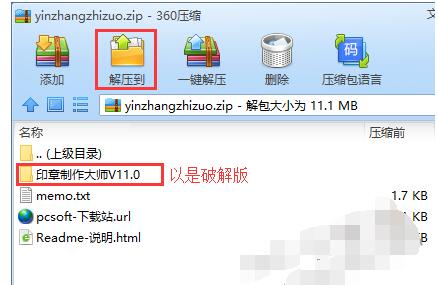
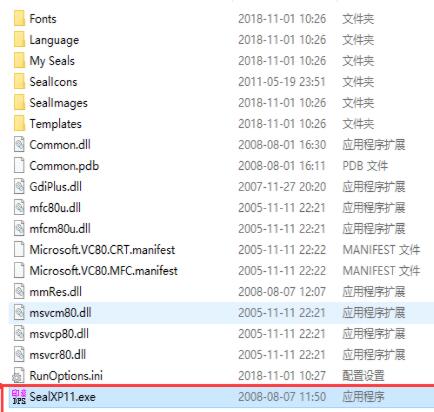
2. After decompressing the software, find "SealXP11.exe" in the Seal Maker V11.0 folder and double-click it to open the software directly. Seal Maker does not require installation. You can use it directly after downloading and unzipping.
Here are the installation methods of the Seal Maker Master shared with you. Friends in need, please come and read this article!