Recently, many friends are planning to buy DNAMAN, but they don’t know how to download and install it? Then the editor will share with you the steps to download and install DNAMAN. Friends in need can come and take a look. I hope it can help everyone.
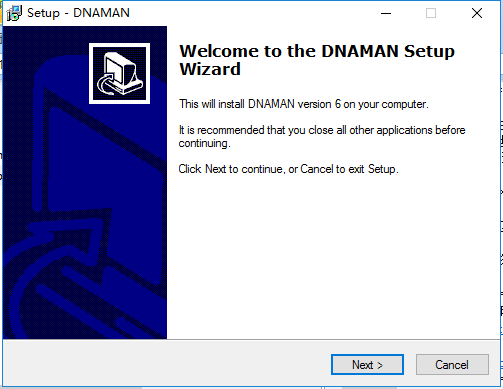
1. First, download the DNAMAN software package from Huajun Software Park, unzip it, double-click the exe file, enter the DNAMAN installation guide interface, and click [Next] to continue the installation.
2. Enter the DNAMAN installation agreement interface, click [I accept the agreement], and then click [next].

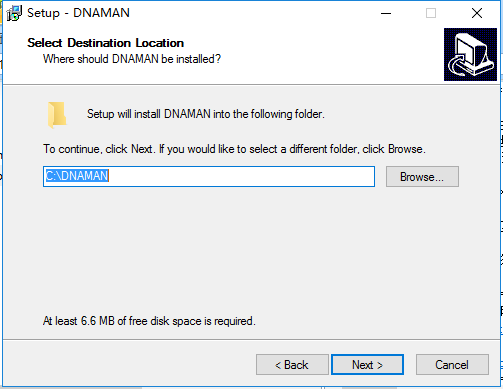
3. Select the DNAMAN installation location and click [next]. The software will be installed by default, or you can click [Browse] to pop up the installation location interface. You can choose the DNAMAN installation location yourself. After completing the selection, click [NEXT].
4. Prepare to install. You can check whether the software installation location is correct. If it is correct, click [Install].

5. Installation is in progress, please wait patiently.

6. When the installation is complete, click [finish] to exit the software installation.

The above are the steps for downloading and installing DNAMAN shared by the editor. I hope it can help everyone.


