Maybe some friends still don’t know how to uninstall PHPnow? So today I will share with you the operation process of uninstalling PHPnow. Friends in need can come and take a look. I hope it can help you.
Open the win10 start menu, expand "Windows System" and find "Command Prompt", right-click - More - Run as administrator;

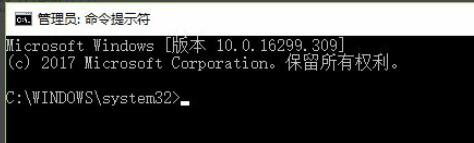
After running, the command prompt window will be displayed;
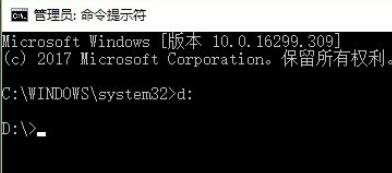
Use the dos command to jump to the partition where phpnow is located. For example, if it is on the D drive, enter D: and press Enter to jump to the D drive;
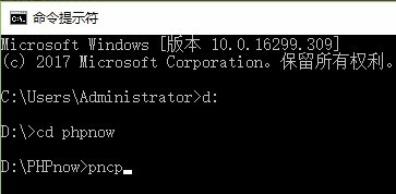
Enter cd phpnow to enter the phpnow directory;

Type pncp and press Enter;
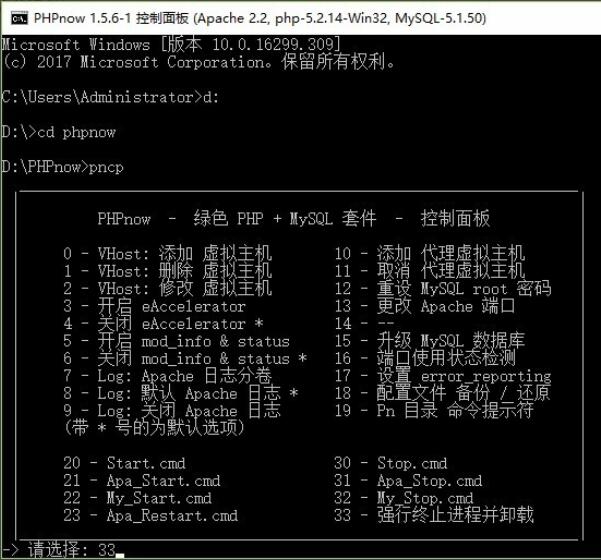
Type the corresponding codename according to your needs. To uninstall, you need to select "33 - Forcefully terminate the process and uninstall", type in the codename 33 and press Enter;

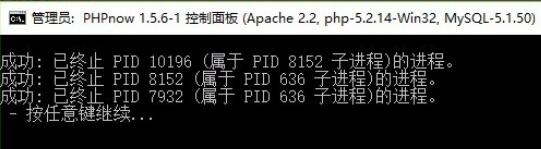
When the following content appears, the uninstallation is successful. Press any key to exit and complete the uninstallation.
The above is the operation process of uninstalling PHPnow brought by the editor. Friends in need should not miss it.