Recently, some new users of Tencent Game Assistant said that they do not know how to add and delete games. In fact, the operation is very simple. Now I will share with you the method of adding and deleting games on Tencent Game Assistant. Friends in need should come and take a look. I hope it can help you.
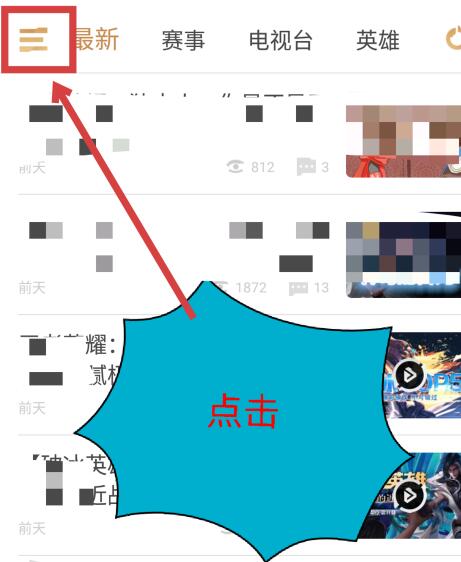
In the Tencent Game Assistant interface, click the three icon in the upper left corner.
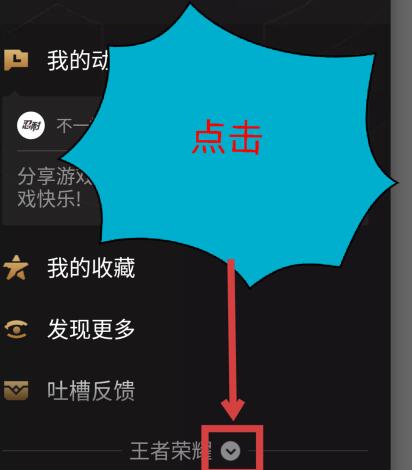
In the left column that opens, click the down arrow icon next to the game at the bottom.
After clicking, you can see all the games that have been added. Click the Add Game option below.
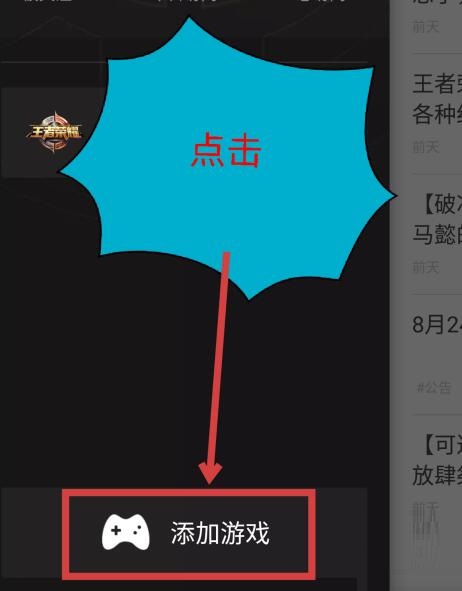
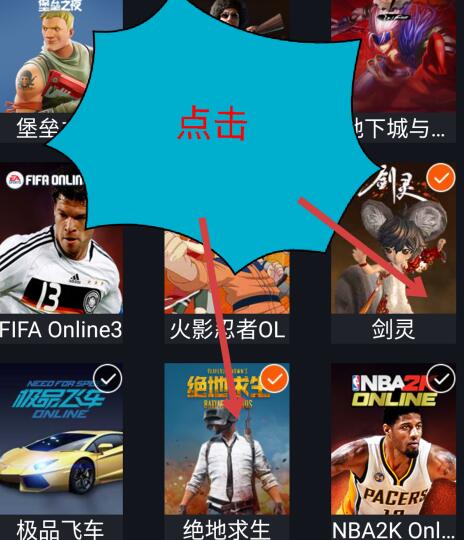
In the added game interface that opens, you can only select the following games to add and click Add.
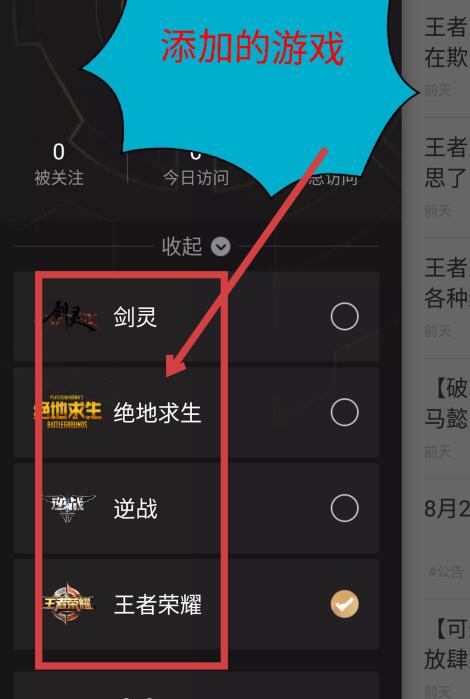
Return to the previous interface and you can see the games that have been added.
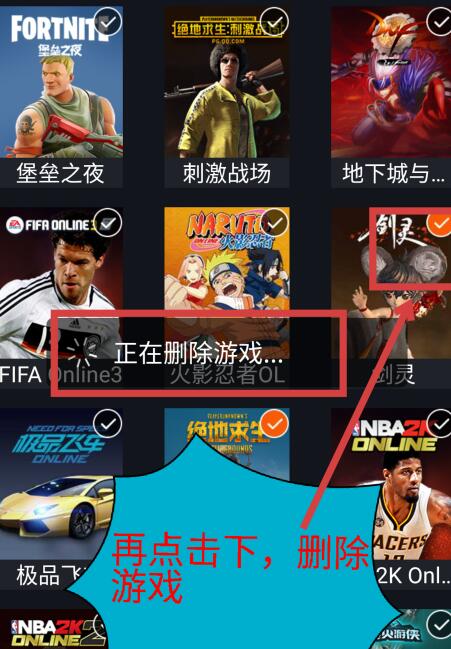
Return to the interface where you just added the game, and click the game to delete it.
Here we share with you how to add and delete games using Tencent Game Assistant. Friends in need should hurry up and read this article.