How to use SQLyog to back up the database-SQLyog usage tutorial
Time: 2020-09-23Source: Huajun Software TutorialAuthor: GiuliaQ
Does everyone back up the database when using SQLyog? For those who don’t know yet, come and learn how to use SQLyog to back up a database with the editor. I hope that this tutorial can be helpful to everyone.
Open SQLyog software

Enter the database connection interface
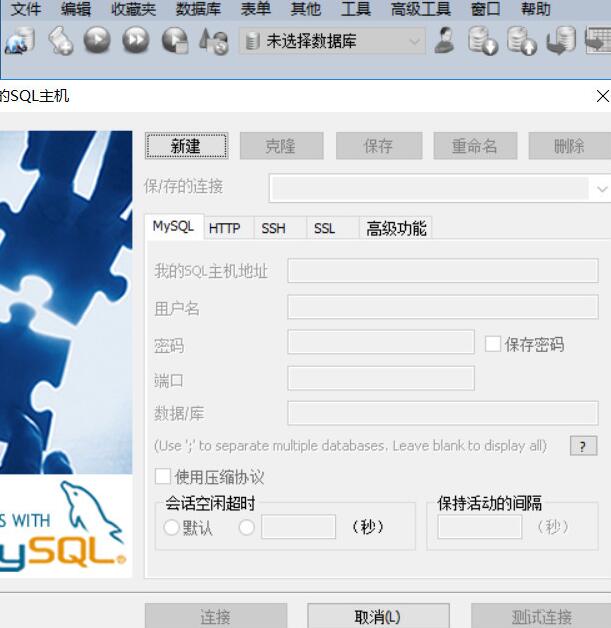
Complete the database connection information and connect to the database

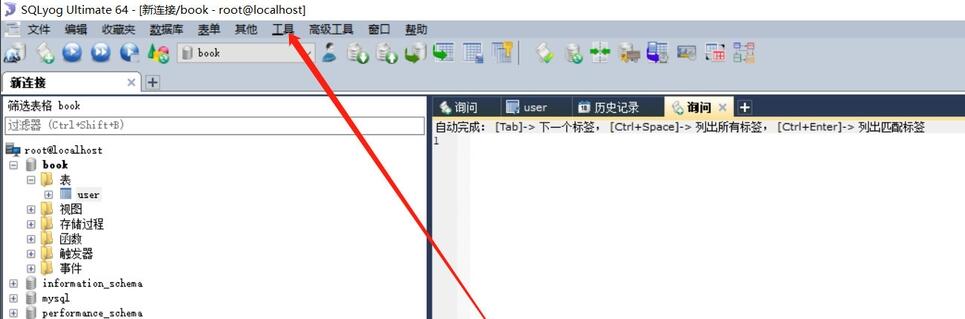
Click the [Tools] menu button above
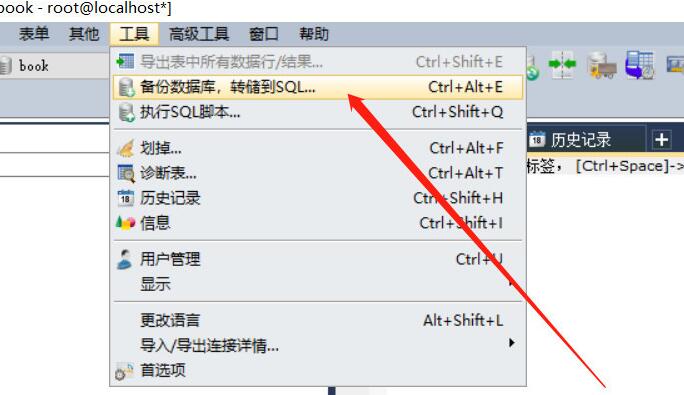
Click the [Backup Database, Dump to SQL] button, as shown in the figure below
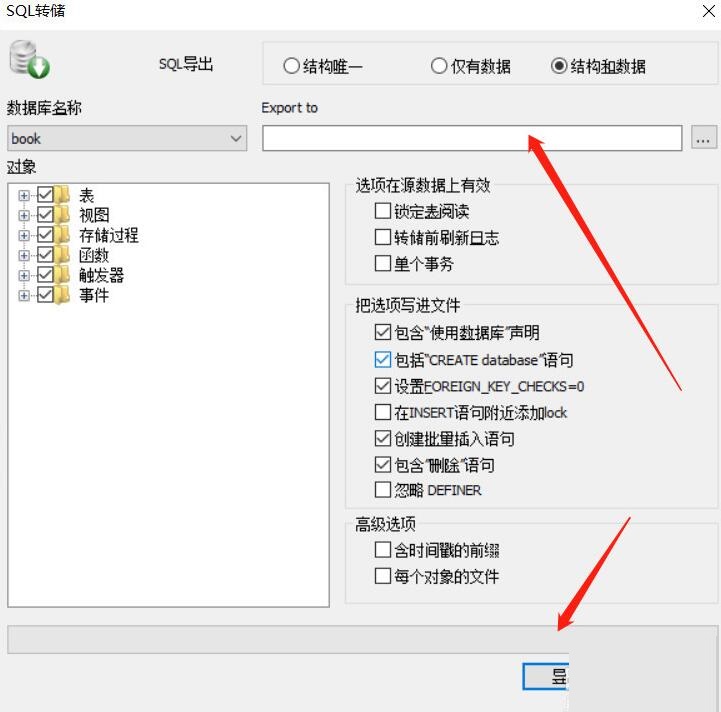
Select the object to be exported, set the export path, and click Export.
Above, I have shared with you how to use SQLyog to back up your database. Friends in need should hurry up and read this article.
Popular recommendations
-
FinalShell
Version: 4.6.3Size: 64.23 MB
FinalShell is a professional, excellent, powerful and easy-to-use network service management software. FinalShell is a remote terminal simulation software...
-
pagoda panel
Version: 8.2.2Size: 77.24 MB
The latest version of Pagoda Panel is a server tool built for computer Windows panels. The official version of Pagoda Panel can support all Microsoft operating systems currently on the market...
-
-
Tiny PXE Server (pxe server software)
Version: v1.0.0.19 official versionSize: 4.4M
TinyPXEServer is a professional pxe server software. Although it is small in size, it is very powerful. It supports installation on windows and linux systems and supports DH...
-
Server time synchronization tool (NTPClock)
Version: v2.1 Green Chinese versionSize: 120KB
This small tool can set the time of the local machine and the remote server, and achieve time synchronization between the local machine and the server.
The most important function of this program (NTPClock) is...