Recently, some netizens had problems installing BarTender. What is the reason? Next, the author will share with you the reasons why Bartender cannot be installed and the steps to solve it.
1. Prompt window:
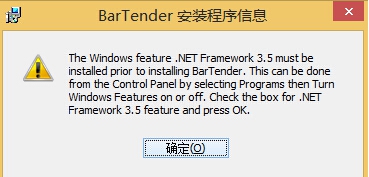
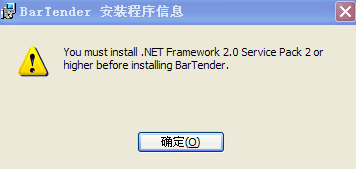
Reason:
The above two Bartender installation program information pop-ups are because the appropriate .NET Framework components are not installed in the computer system. Bartender 10.1 is based on the .NET Framework 3.5 environment. Without the necessary operating environment, installation errors will naturally occur. Correctly installing the .NET Framework components can solve this common problem in BarTender.
Processing operations:
Click "OK" in the picture above, wait for a while, and the installation interruption window will pop up; click "Finish" to exit the installation of BarTender10.1, and then download the component Microsoft .NET Framework 3.5 for installation. After the installation is completed, install BarTender10.1 again.
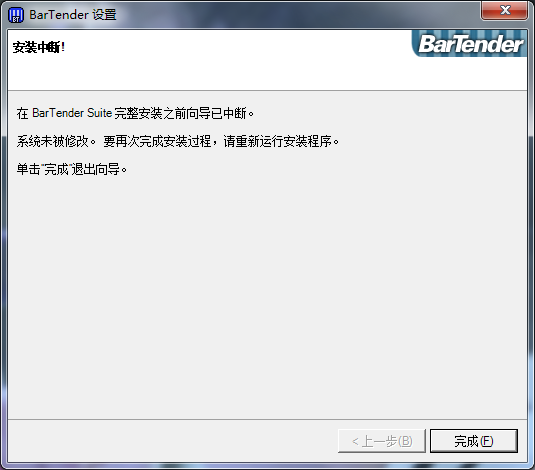
Note: Under normal circumstances, the BarTender 10.1 installer will automatically install all required .NET Framework components. For newer 64-bit operating systems (Windows 8, Windows 7, Vista, Server 2012 and Server 2008 R2), BarTender 10.1 comes with the required components. For earlier 64-bit operating systems (XP, Windows Server 2003, and Windows Server 2008 pre-R2), the installer needs to connect to the Internet and download the required .NET components.
2. Prompt window:
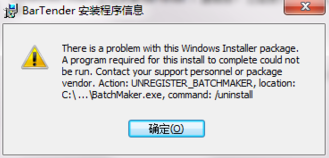
Reason:
This Bartender installation program message pops up, indicating that you have installed the BarTender software and then uninstalled it, but it was not completely uninstalled.
Processing operations:
Click "OK" in the picture above, wait for a while, the installation interruption window will pop up, click "Finish" to exit the installation of BarTender 10.1, and then run it as an administrator to install BarTender; if such installation problems still occur, you can only reinstall the system and try it again.
The above explains the reasons why Bartender cannot be installed and the steps to solve it. I hope friends in need can learn from it.