What should I do if the garbled characters appear when opening Notepad in Win7? Here I will introduce you to the specific solutions. Students who have this problem should take a look!
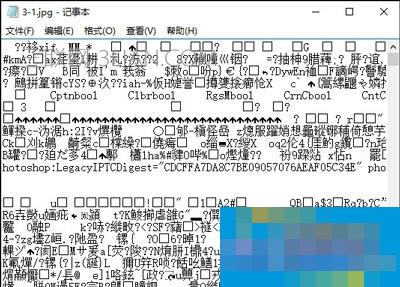
Solution:
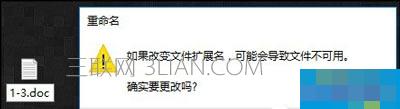
1. The easiest way is to change the suffix of your TXT document. It depends on whether you change it to the format edited by the original author. For example, if you originally saved it in Word document format and saved it in TXT format, you can only try to change it back to doc format, and then open it with Word to see if it can display normally. The solution to this situation is to use whatever software the TXT file was written with to open it. If you save a TXT file in the html format of a web page, change the TXT suffix name to html, and then open it directly to a web page. Because when you open it in TXT, it contains some code, so I think it is a symptom of a code error.
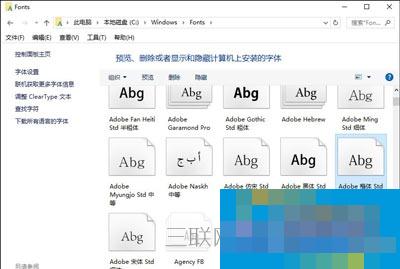
2. The font system on the Notepad document opened by the user cannot be recognized, which means that your computer's font library is not sufficient. You can try to download Windows Songti, Kaiti and other fonts online, and then reopen the TXT document to check whether it is normal.
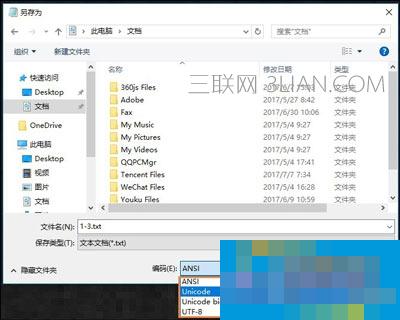
3. It is also very common for encoding problems to cause garbled characters when opened in Notepad. The TXT document written and saved by the original author is of Unicode, UTF-8, and Unicode Big Endian type, and we open the ANSI type by default. You can "save the TXT file as" and change it to Unicode or other encoding when selecting the encoding when saving as. Try to see if this can solve the problem of garbled characters in Notepad.
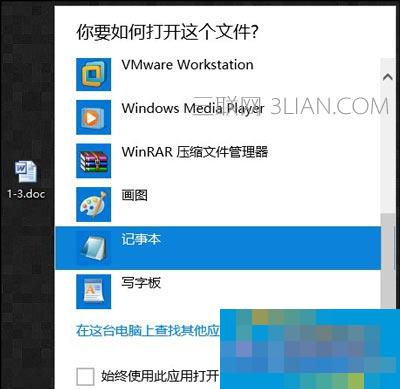
4. Also, if it is not a TXT file, you right-click and select Open method and select Notepad. It is normal that it cannot be opened. For example, if you open a word document through Notepad, there will be garbled characters. In this case, you can only open it through a Word document, but not directly through a TXT file. Not all files can be opened with Notepad. They may be able to be opened but there will be garbled characters. However, we can only open and display the contents of the edited Notepad normally if we have written content on Notepad.
5. Terminal input: gconf-editor to bring up Gconf-edi, click on Auto-Detected in Apps → Gedit-2 → Preferences → Encodings, add GB18030, GBK, GB2312 in the double-click pop-up dialog box, then move GB18030, GB2312 to the top, and finally open the TXT file, the problem is solved.