It is normal for computers to reinstall the system, but recently a user reported that he used his own system disk to reinstall the XP system on his computer yesterday. After the installation, he found that the computer could not access the Internet, but the local connection did show that it was connected, while the broadband connection was disconnected. What is the reason for this? So how to solve this problem? Today, the editor of Huajun brings you a simple and easy-to-understand solution. I hope you will support and share the carefully selected content. If you like it, hurry up and get it!
Here's how:
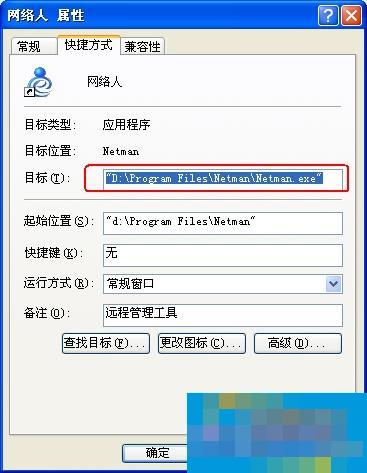
1. Use Netman remote control software, which is installed on the C drive of the computer by default. After reinstalling the system, the software cannot be started. Or the Internet remote control software is installed on another system disk. After reinstalling the computer, the software cannot start automatically. How to deal with these situations. In fact, it is easy to understand. If it is installed on the C drive, the software will not exist after restoring the C drive. At this time, you need to download and install it yourself. And if you install it on another disk and include the software when building the system, there will be no problem that the software cannot start automatically after reinstallation.
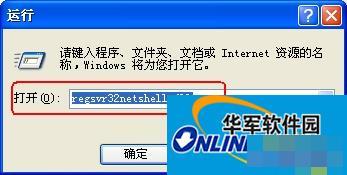
2. Start -> Run -> enter "regsvr32netshell.dll" (without quotation marks) to complete the registration of the DLL file. Similarly, use regsvr32netcfgx.dll and regsvr32netman.dll to complete the registration of the other two files. After reinstalling the system, I cannot log in online and restart the computer.
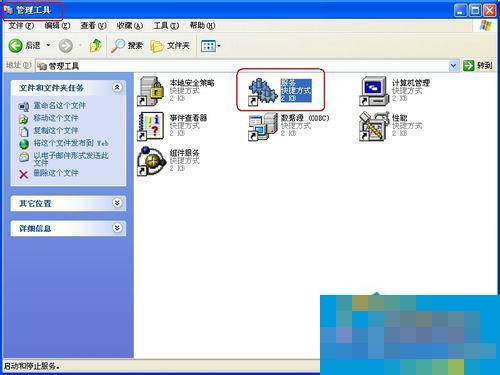
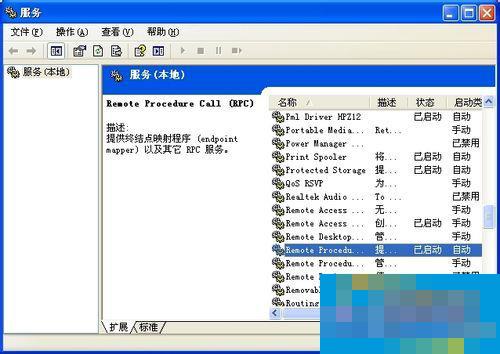
3. Control Panel-"Administrative Tools-"Services" check whether the following services have been started. There are six services including remote procedure call (RPC), network connections, plug and play, com+eventsystem, remote access connection manager and telephony. 3. Start-"Run-"Enter regedit), find and click the registry subkey and cannot access the Internet after reinstalling the system HKE Y_CLASSES_ROOTInterface{0000010C-0000-0000-C000-000000000046} Verify that its subkeys NumMethods and ProxyStubClsid32 exist , and whether their values are correct (nummethods is 4 and ProxyStubClsid32 is {00000320-0000-0000-C000-000000000046}. If the registry subkeys do not exist, create them.
4. Open the local connection. After reinstalling the system and unable to access the Internet, check whether there is a local connection. If not, check "My Computer"-"Properties"-"Hardware"-"Device Manager" to see if there is a network card. Without this item, the computer cannot recognize the network card or the driver is not installed properly. You can install the driver again. However, under normal circumstances, the network card can be recognized even if the system cannot be accessed after reinstalling the system. That's the reason for the network card!

This is the solution to the problem of being unable to access the Internet after reinstalling the WinXP system. If there are users who encounter such problems, they can solve them according to the above methods. Microsoft has officially announced that it will stop serving the XP system. It is still recommended that you upgrade to Win7 or other systems.