1: Every time I open it, the output directory is not where I want it to be. Click Settings in the upper right corner.

Beaver All-Purpose Video Converter
2: Select "Tools"--"Options".

Beaver All-Purpose Video Converter
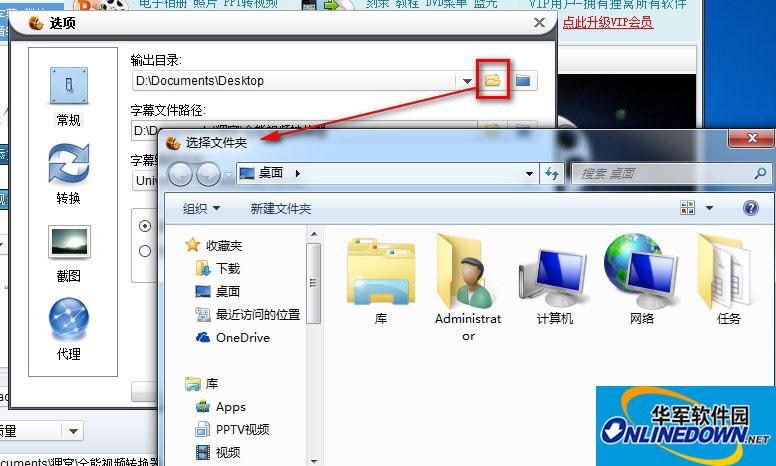
3: Click "General"--"Output Directory" and then click the Open File button to select the location you want to save. Select OK and click OK.
Beaver All-Purpose Video Converter