Sometimes, it is very annoying to know the content shared by others on the network disk but not know the password of the network disk. As everyone knows, you can use related network disk encryption and cracking tools to crack it. The Baidu Network Disk 360 Network Disk download address parsing routine can easily analyze the real download addresses of Baidu Network Disk, 360 Network Disk and Thunder Express. After the acquisition is completed, you can directly open it to download. It is simple, convenient and practical!
How to use Baidu Netdisk 360 Netdisk download address resolution routine
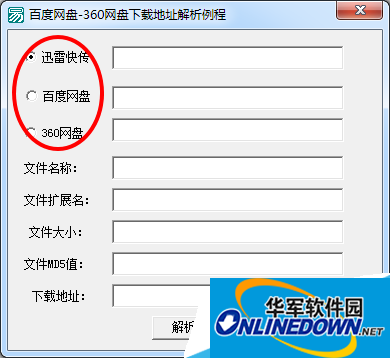
1. Open Baidu Netdisk 360 Netdisk to download the address resolution routine, and select the Netdisk that needs to be parsed.
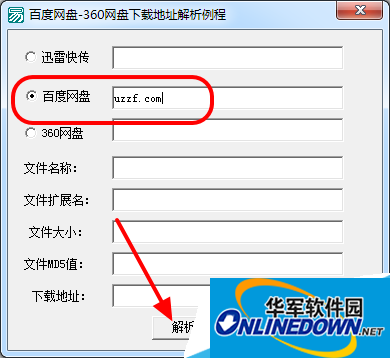
2. Copy the download address to the edit box of the network disk that needs to be parsed, and click [Analyze] to get the real download address.
3. After obtaining the download address, copy the download link and open it in the browser to download.
Software tutorial editor recommends:
How to use Caiyun College Baidu network disk search engine
Where to set the extraction code on Baidu Netdisk?
How to use Baidu network disk resource search artifact