Hot search terms: 360 Security Guard Office365 360 browser WPS Office iQiyi Huawei Cloud Market Tencent Cloud Store
Hot search terms: 360 Security Guard Office365 360 browser WPS Office iQiyi Huawei Cloud Market Tencent Cloud Store

Text editing Storage: 248MB Time: 2021-09-17
Software introduction: PS Office 2019PDF web browser WPS Office 2019WPSWPS Office 2019
WPS Office 2019 is an efficient, lightweight and comprehensive domestic office suite launched by Kingsoft Office Software. It integrates the three core components of word processing, spreadsheets and presentations. The software has excellent compatibility with Microsoft Office formats and perfectly supports the reading, writing and editing of .docx, .xlsx, .pptx and other files, ensuring barrier-free cross-platform document interaction. It adopts a modern flat interface design, the operation is smooth and intuitive, and it integrates practical functions such as PDF toolkit, cloud document synchronization, massive online templates, and multi-person collaborative editing, while maintaining the advantages of low system resource usage and fast startup. Taking into account free use by individual users and enterprise-level security management needs, it is suitable for various office scenarios and is an ideal choice to improve work efficiency. Next, let Huajun editor explain to you how to delete all blank forms in WPS Office 2019 and how to delete all blank forms in WPS Office 2019!
first step
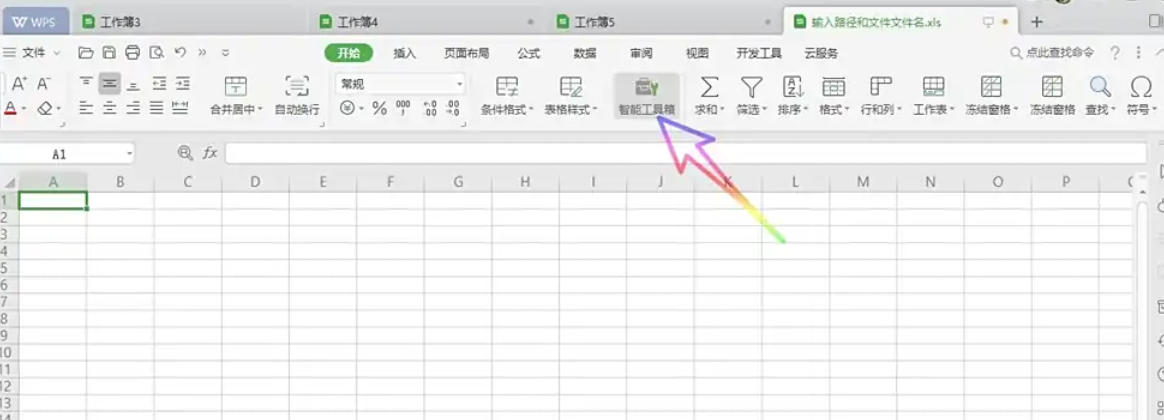
Open the WPS table file and click the "Smart Toolbox" tab on the top menu bar.
Step 2
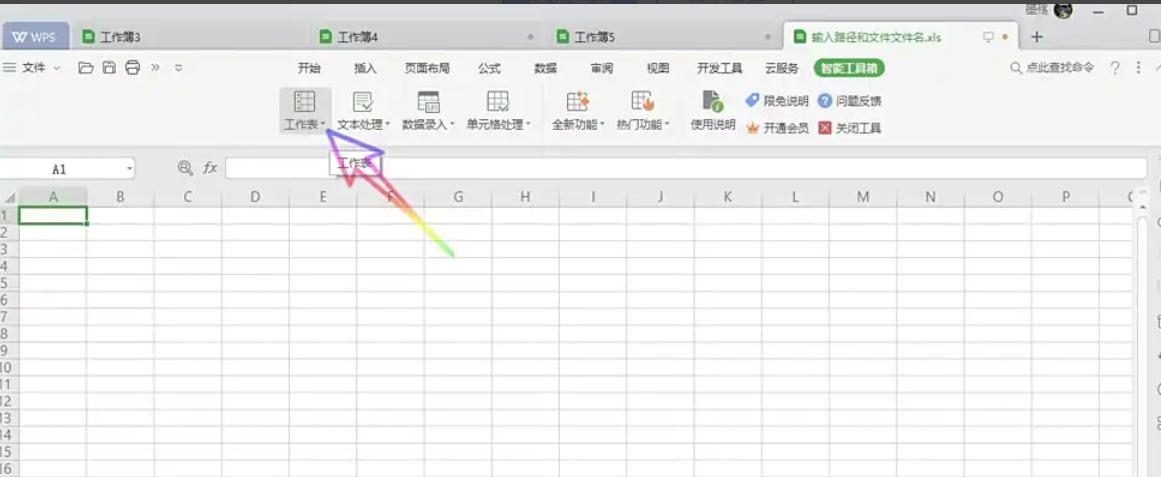
In the "Smart Toolbox" ribbon, find the "Worksheet" group,
Step 3
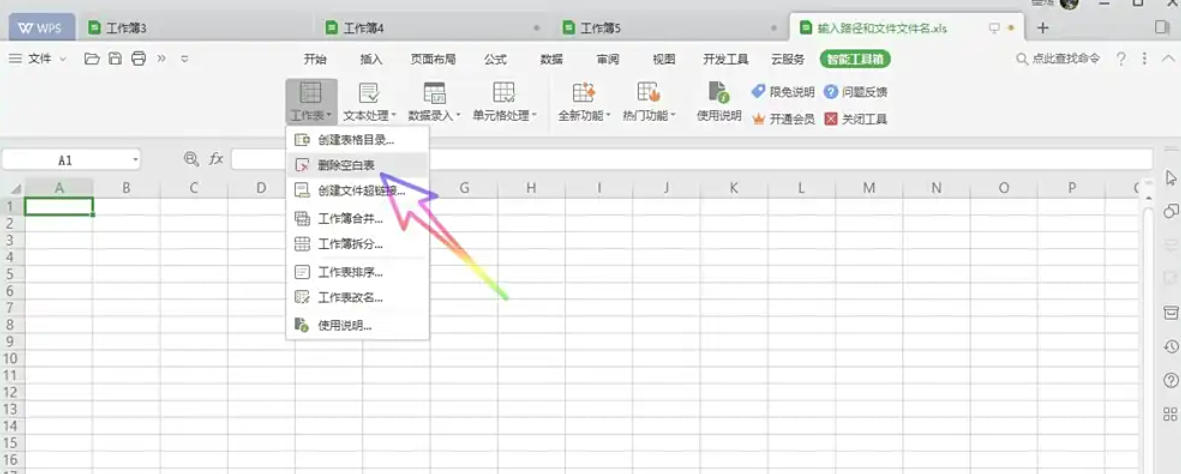
Click the Delete Blank Table button (the icon may be a combination of a table and a red delete symbol).
Step 4
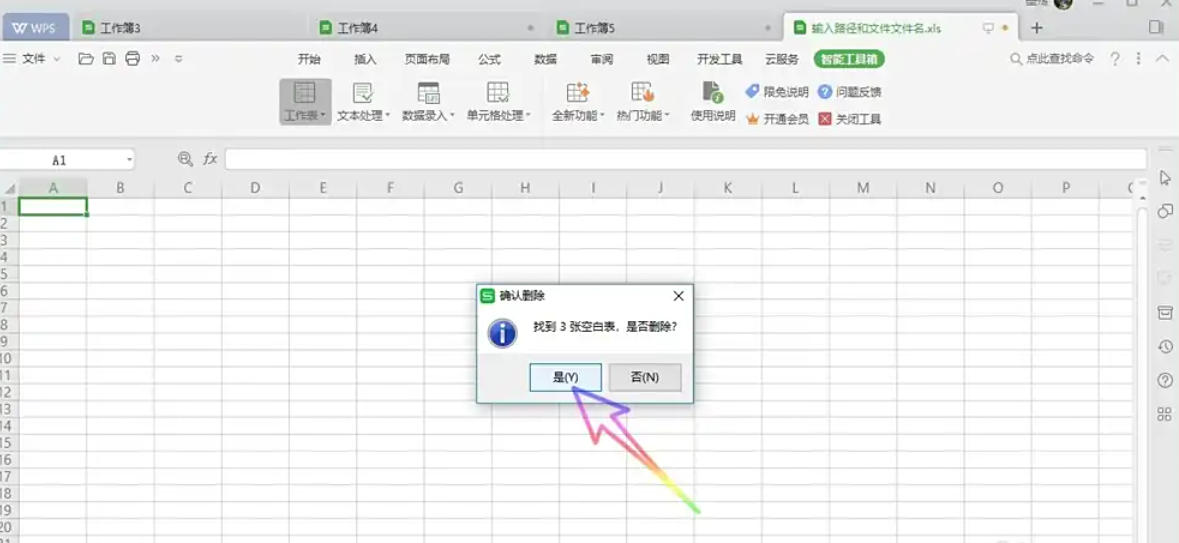
The system pops up a prompt box: "X blank tables were found, delete them?" (X is the number of blank tables). Click "Yes" and WPS will automatically delete all blank tables that meet the conditions.
Step 5
After the deletion is successful, the system pops up a prompt: "Deleted".
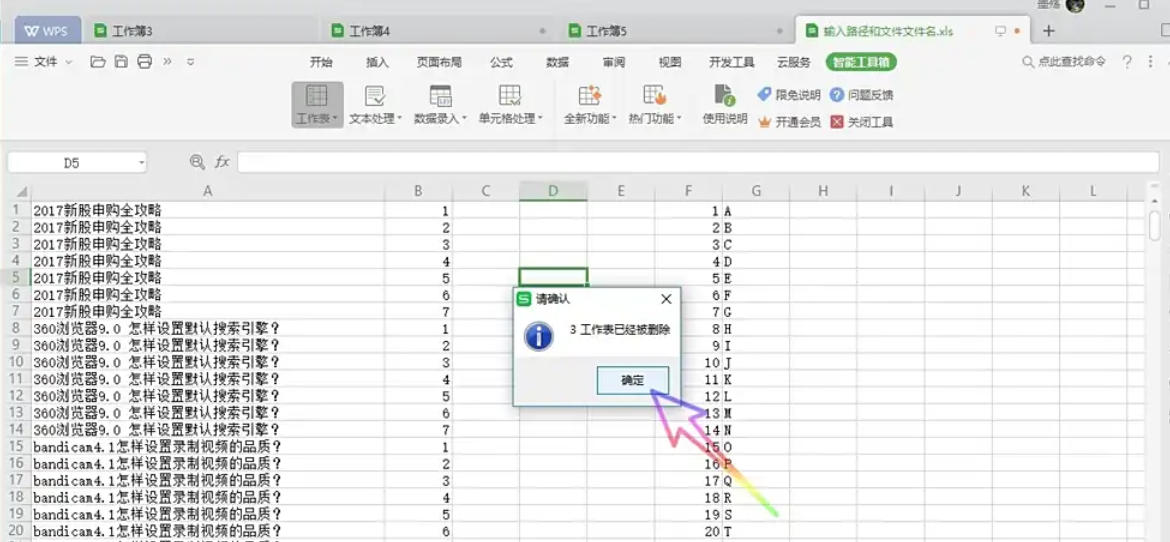
Step 6
Click "OK" to close the prompt box and return to the worksheet interface.
The above is what Huajun editor has compiled for you on how to delete all blank forms in WPS Office 2019 and how to delete all blank forms in WPS Office 2019. I hope it can help you!

 Microsoft Edge browser
 Steam
Steam
 Tencent Video
 WPS Office
 iQiyi
iQiyi
 Sohu video player
 Lightning simulator
 MuMu emulator
 Eggman Party
 What to do if there is no sound after reinstalling the computer system - Driver Wizard Tutorial
 How to switch accounts in WPS Office 2019-How to switch accounts in WPS Office 2019
 How to clear the cache of Google Chrome - How to clear the cache of Google Chrome
 How to fire bullets in scratch-How to fire bullets in scratch