
Hot search terms: 360 Security Guard Office365 360 browser WPS Office iQiyi Huawei Cloud Market Tencent Cloud Store
Hot search terms: 360 Security Guard Office365 360 browser WPS Office iQiyi Huawei Cloud Market Tencent Cloud Store

e-commerce shopping Storage size: 109.27 MB Time: 2020-10-22
Software introduction: The app is a very popular trendy product platform. The Dewu app was formerly known as the Poison app. It covers the trading of genuine trendy equipment, trendy sneakers...
Dewu App is an software covering multiple categories such as trendy shoes, trendy clothes, watches, accessories, trendy toys, 3C digital, home appliances, beauty, automobiles, etc., providing users with a wealth of choices. All products have undergone strict official screening and inspection to ensure that every product is official and genuine, and users can purchase with confidence. Next, let the editor of Huajun explain to you how to identify objects by taking pictures and how to identify objects by taking pictures of objects!
first step
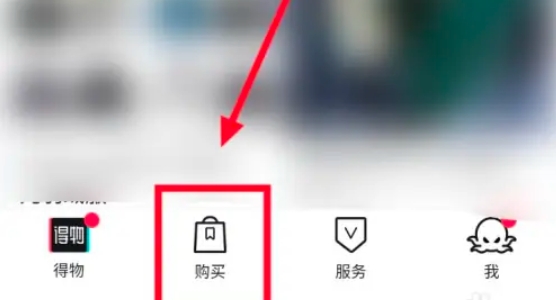
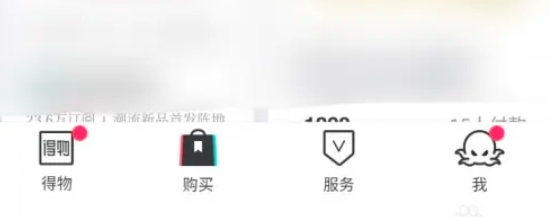
On the main interface of Dewu App, click the "Purchase" button at the bottom to enter the purchase page.
Step 2
On the right side of the search box on the purchase page, there is a camera icon. Click the icon to enter the photo page.
Step 3
Aim the viewfinder of your phone at the object you want to identify, make sure the light is sufficient, the image quality is clear, and the angle is appropriate, and then click the photo button to take the photo.

Step 4
If you already have photos of the items you want to identify, you can click the "Album" option on the page and select photos from your phone's photo album to upload for identification.

Step 5
Whether you take a photo directly or select an album picture, you need to wait a few seconds after uploading for the Dewu App to scan and identify the item.
Step 6
After successful recognition, the Dewu App will display a list of products similar to the current item. Users can filter and compare prices, reviews and other information between different merchants and products based on their personal needs, and finally choose their favorite products.
The above is what the editor of Huajun has compiled for you, how to take photos to identify the objects you get, and how to take photos to identify the objects you get. I hope it can help you!

 How to check the user agreement of Movie Paradise? -How to view the user agreement in Movie Paradise
 How to clear cache of Kuai Technology? -Quatech’s method of clearing cache
 How to check the list style in Kuai Technology? -Quick Technology’s method of viewing list styles
 movie paradise
 Quark Browser
 little red book
 Chinese University MOOC computer version
 Xiaoetong
 Traffic control 12123
 Minecraft Bedrock Edition
 KMPlayer
 watermelon video
 How to use Fliggy’s student discount? List of student certification methods on Fliggy
 How to find the help center for Panzhi Sales - How to find the help center for Panzhi Sales
 How to change ID card with taptap-How to change ID card with taptap
 How to add friends on steam mobile version - How to add friends on steam mobile version
 How to Chineseize ourplay with one click - How to Chineseize ourplay with one click

