
Hot search terms: 360 Security Guard Office365 360 browser WPS Office iQiyi Huawei Cloud Market Tencent Cloud Store
Hot search terms: 360 Security Guard Office365 360 browser WPS Office iQiyi Huawei Cloud Market Tencent Cloud Store

video playback Storage size: 123.52 MB Time: 2022-09-16
Software introduction: Douyu Live is a game video live broadcast software that provides high-definition, fast and smooth video live broadcast and game event live broadcast services, including hero...
Douyu is a popular online live broadcast software that provides users with a rich variety of live broadcast content and interactive experiences. Users can interact with anchors and other viewers in real time to share their feelings and thoughts. At the same time, the luxury gift system not only provides viewers with diverse ways to interact, but also allows favorite anchors to gain more support. Viewers can express their love and support for the anchor by giving gifts, and the anchor can earn certain profits from the gifts received. Next, let the editor of Huajun explain to you how to cast Douyu live broadcast and how to cast Douyu live broadcast to screen!

first step
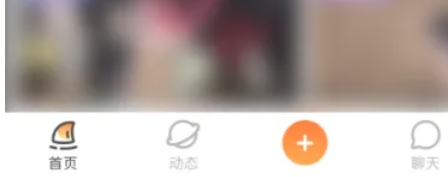
Open the Douyu software homepage and click on the [Live Broadcast Room] option you want to watch. Make sure you have selected the live content you want to cast.
Step 2
After entering the Douyu live broadcast room page, click the [three dots] icon that appears in the upper right corner. This icon is typically used to open settings and feature options.

Step 3
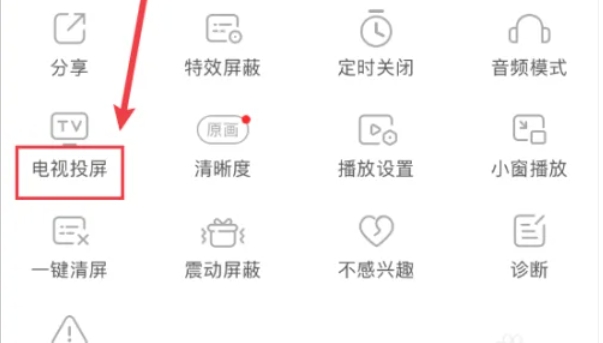
In the settings or functions page that pops up, click the [TV Mirroring] option. This option allows you to cast live content to a TV that supports screencasting.
Step 4
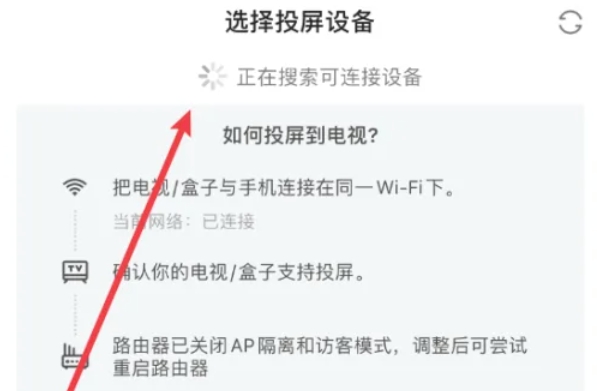
Make sure your TV and mobile phone are connected to the same local area network (such as Wi-Fi) so that you can successfully cast the screen.
Step 5
After entering the screen casting settings page, select the [TV device] you want to cast the screen to. Douyu live content can be successfully cast to the TV.
The above is how the editor of Huajun compiled for you how to cast Douyu live broadcast and how to cast Douyu live broadcast. I hope it can help you!

 How to add background music in python-How to add background music in python
 How to configure environment variables in python - How to configure environment variables in python
 How to run python - How to run python
 How to create a project in python - How to create a project in python
 How to make a blue sky background with scratch-How to make a blue sky background with scratch
 Microsoft Edge browser
 Steam
Steam
 Tencent Video
 WPS Office
 iQiyi
iQiyi
 Sohu video player
 Lightning simulator
 MuMu emulator
 Eggman Party
 What to do if there is no sound after reinstalling the computer system - Driver Wizard Tutorial
 How to switch accounts in WPS Office 2019-How to switch accounts in WPS Office 2019
 How to clear the cache of Google Chrome - How to clear the cache of Google Chrome
 How to fire bullets in scratch-How to fire bullets in scratch
