
Hot search terms: 360 Security Guard Office365 360 browser WPS Office iQiyi Huawei Cloud Market Tencent Cloud Store
Hot search terms: 360 Security Guard Office365 360 browser WPS Office iQiyi Huawei Cloud Market Tencent Cloud Store
media management Storage size: 201.93 MB Time: 2022-12-19
Software introduction: iTunes official version is a simple and easy-to-use Apple mobile assistant, a free digital media player program for PC and Mac, providing users with IOS...
iTunes is a popular and powerful digital media player software. It is specially designed for Mac and PC users. It not only provides management and playback functions of digital music and videos, but also brings more convenience and entertainment experience to users. Next, let the editor of Huajun explain to you how to use itunes and how to use itunes!
1. About iTunes
iTunes allows users to easily manage their digital music and video libraries. Users can create custom playlists, search and sort by different categories, and even edit tag information for songs and videos. This flexible management method allows users to quickly find and play their favorite media content, improving usage efficiency.
Secondly, it has excellent playback capabilities. It supports high-quality audio and video playback, bringing users excellent listening and visual enjoyment. Whether on a computer or connected to other devices, users can enjoy smooth and clear playback.
In addition, iTunes also has device synchronization functions. Users can seamlessly synchronize their music, videos, podcasts and other content to iPhone, iPad, iPod and other Apple devices to achieve cross-platform sharing and management. This synchronization function allows users to easily switch between different devices and enjoy entertainment content anytime and anywhere.
In addition, the iTunes Store is built-in, and users can purchase music, movies, TV shows, and application software directly in the software. This one-stop shopping experience provides users with great convenience, allowing them to complete purchases and downloads without having to jump to other platforms.
2. Introduction to basic functions
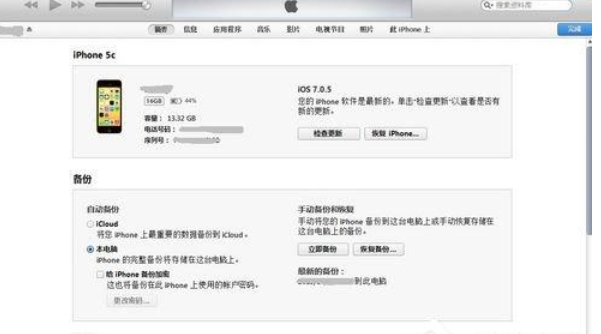
Summary: In this interface, you can view the entire iPhone usage information, including capacity usage, firmware updates, recovery and synchronization functions, etc. The "Update" button is used to upgrade the latest firmware of the iPhone, the "Restore" button is used to upgrade, downgrade or restore the original firmware, and the "Sync" button is used to synchronize with the iPhone.
Information: In this interface, you can individually set whether to synchronize "Contact Book", "Calendar", "Mail Account" and "Web Browser".
Ringtone: In this interface, you can synchronize the ringtones you have made to your iPhone.
Music: You can synchronize songs that have been imported into the iTunes music library.
Photos: You can customize and synchronize pictures in any folder on your local computer.
Podcast: You can sync audiobooks that have been imported into your iTunes library.
Video: Movies/videos imported into iTunes movie library can be synchronized.
In addition, if you want to check your iTunes version, you can click "Help" in the menu, then select "About iTunes" to see the specific version number.
3. Activate and use
first step
Create and log in to Apple ID
If you don't have an Apple ID yet, you need to create one. Apple ID is your account for using Apple services (such as App Store, iCloud, etc.). You can create it in iTunes or on Apple's official website.
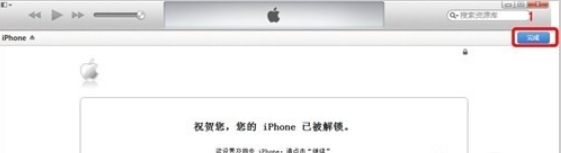
Step 2
Once created, open iTunes and log in using your Apple ID. Click the "Account" option in the menu bar, then select "Sign In," enter your Apple ID and password, and click "Sign In."
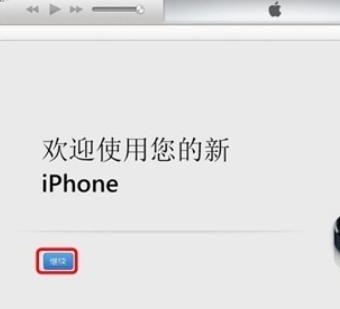
Step 3
Browse and purchase media content
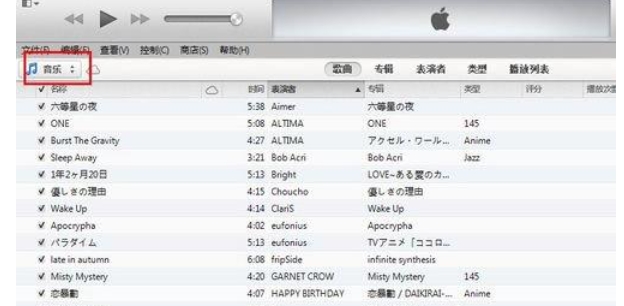
After logging in, you can start browsing music, movies, TV shows and other media content in the iTunes Store. Once you find what you want, click the "Buy" button and follow the prompts to complete your purchase. Purchased content will be saved in your iTunes library, allowing you to play and manage it at any time.
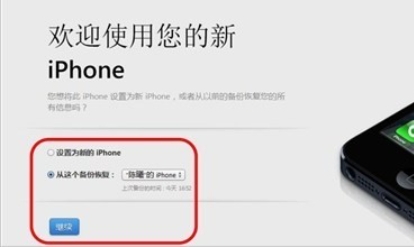
Step 4
Manage your device
iTunes is not only a media player but also a powerful device manager. In iTunes, you can back up and restore your devices, update your device's software, set up new devices, and more. These features can help you better maintain and manage your iOS devices.
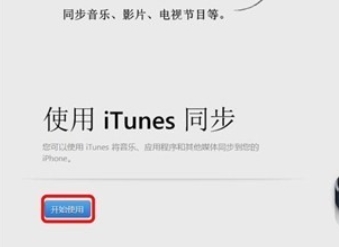
It should be noted that the iTunes version may change with Apple system updates, so users are recommended to regularly check and update to the latest version to ensure the best experience. At the same time, when using iTunes, please also ensure that your device is connected to the computer and iTunes has successfully recognized your device.
The above is how to use itunes and how to use itunes compiled by Huajun editor for you. I hope it can help you!

 How to add background music in python-How to add background music in python
 How to configure environment variables in python - How to configure environment variables in python
 How to run python - How to run python
 How to create a project in python - How to create a project in python
 How to make a blue sky background with scratch-How to make a blue sky background with scratch
 Microsoft Edge browser
 Steam
Steam
 Tencent Video
 WPS Office
 iQiyi
iQiyi
 Sohu video player
 Lightning simulator
 MuMu emulator
 Eggman Party
 What to do if there is no sound after reinstalling the computer system - Driver Wizard Tutorial
 How to switch accounts in WPS Office 2019-How to switch accounts in WPS Office 2019
 How to clear the cache of Google Chrome - How to clear the cache of Google Chrome
 How to fire bullets in scratch-How to fire bullets in scratch
