Hot search terms: 360 Security Guard Office365 360 browser WPS Office iQiyi Huawei Cloud Market Tencent Cloud Store
Hot search terms: 360 Security Guard Office365 360 browser WPS Office iQiyi Huawei Cloud Market Tencent Cloud Store

Casual puzzle Storage size: 37.7MB Time: 2022-01-15
Software introduction: The Chinese version of the two-player online version is a fun and casual puzzle game. Rabbids 2-Player lets players control a bunny...
Bunnyman is a fun game for players of all ages. It not only allows players to have fun in the game, but also promotes communication and cooperation between players. In the game, players need to control rabbits and face various cliffs, ground thorns, and traps. This requires players not only to have agile reactions, but also to have sufficient wisdom and strategy. The rules of the game are simple and easy to understand, but it takes constant practice and challenge to master it. Next, let the editor of Huajun explain to you how to set up Chinese language for Crazy Rabbit Man and how to play together remotely with Crazy Rabbit Man!

1. How to set the Chinese language in Crazy Rabbit Man
first step
Open the Bunnyman game. In the game's main interface or start menu, look for a button labeled "Settings" or "Options" and click to enter.

Step 2
In the settings menu, look for options related to language or region. This may usually be labeled "Language", "Language" or a similar option, click on it
Step 3
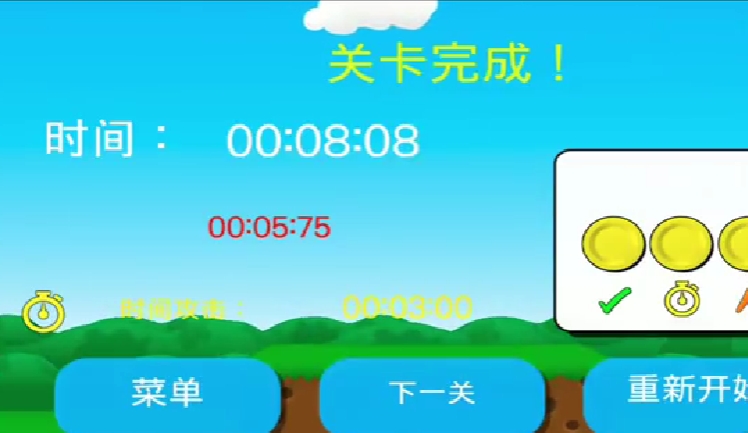
After clicking into the language settings option, you should see a list of languages supported by the game.
Step 4
From this list, select "Chinese" or "Chinese" as your game language.
Step 5
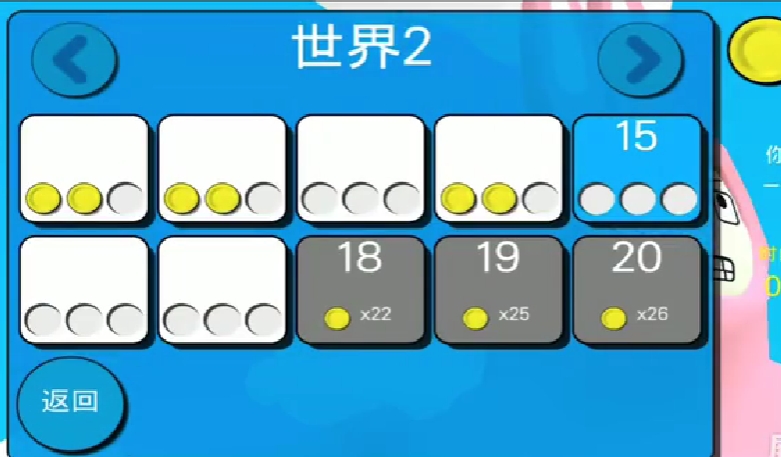
After confirming your selection, the game will reload or apply the new language setting to complete the setup.
2. How to play with Crazy Rabbids remotely
first step
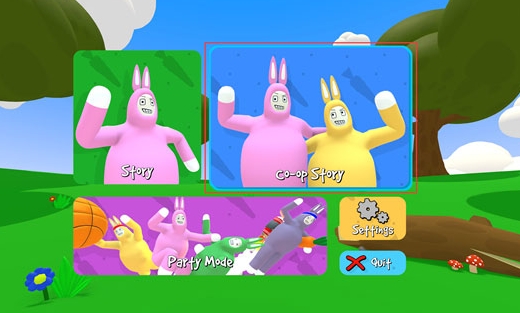
Players need to open the game and enter the main menu interface to find a section on the right side of the single-player story mode. There is usually a pattern of two rabbits on it. This is the entrance to the two-player mode.

Step 2
After clicking on the entrance to the two-player mode, the player will enter the two-player mode selection interface. Here, players can confirm that they are indeed playing a two-player game.
Step 3
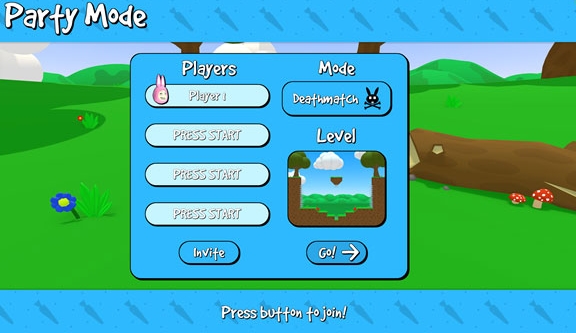
After confirming the selection of two-player mode, the game will load the two-player mode levels. These levels are basically the same as the single-player mode, but they are more challenging to play because of the two-player cooperative mode.

Step 4
Two players need to control their own bunnymen respectively. Usually, player one can use the [W, A, D keys] on the keyboard to move, while player two can use the direction keys "↑", "←", and "→" to move. In addition, both players can use the "Shift" key to perform grabbing operations, so that they can hold each other and perform more fancy moves such as rolling.
The above is the guide compiled by Huajun editor for you on how to set up Chinese language for Rabbids and how to play Rabbids remotely. I hope it can help you!

 How to log in to 233 Paradise? -How to log in to 233 Paradise
 How to chat with customer service in 233 Paradise? -How to chat with customer service at 233 Park
 How to authenticate real-name in 233 Paradise? -233 Paradise real-name authentication method
 How to cancel the collected games in 233 Paradise? -How to cancel favorite games in 233 Paradise
 How to play games in 233 Paradise? -How to play games in 233 Paradise
 movie paradise
 Quark Browser
 little red book
 Chinese University MOOC computer version
 Xiaoetong
 Traffic control 12123
 Minecraft Bedrock Edition
 KMPlayer
 watermelon video