Hot search terms: 360 Security Guard Office365 360 browser WPS Office iQiyi Huawei Cloud Market Tencent Cloud Store
Hot search terms: 360 Security Guard Office365 360 browser WPS Office iQiyi Huawei Cloud Market Tencent Cloud Store

audio editing Storage size: 12.5 MB Time: 2021-09-18
Software introduction: Goldwave is a powerful and excellent audio editing tool. Goldwave is small in size and powerful in editing sounds...
Currently, more and more partners are using GoldWave software to process audio, and it is very convenient to operate. The following article shares the graphic operation method of adding audio background music through goldwave, please refer to it.
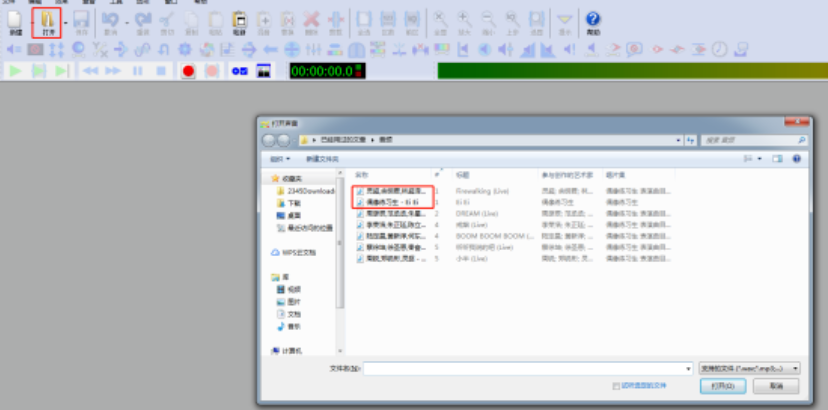
Open the GoldWave software, click the [Open] button in the upper toolbar, and add audio files and background music files.
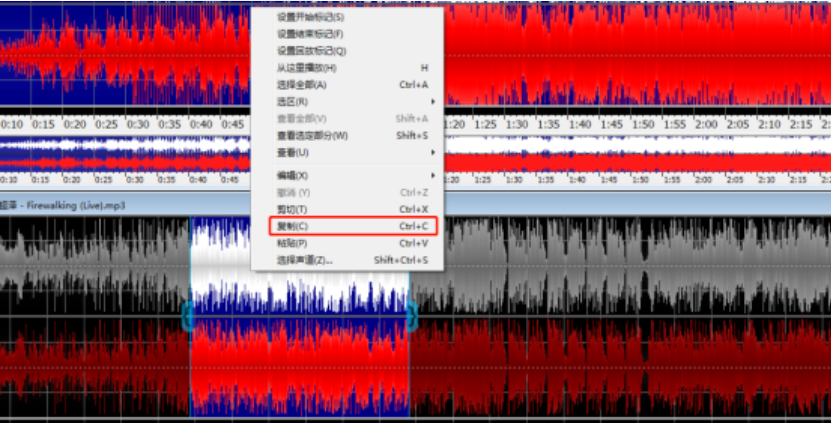
Select one of the pieces of background music you want to add, click copy, and paste it into the audio file.
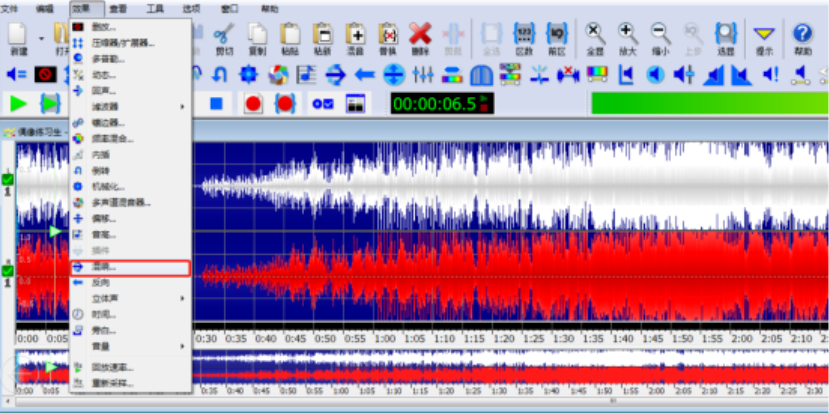
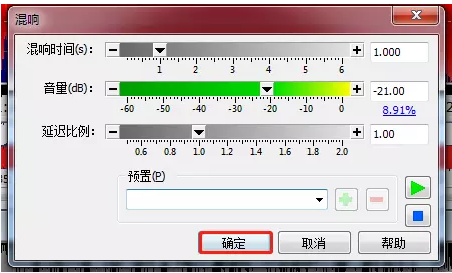
Click [Effect]-[Reverb] in the menu bar to pop up a window to adjust the volume.
After the adjustment is completed, click OK.
The above article explains the graphic and text operation process of adding audio background music through goldwave. I hope friends in need can learn it.

 How to download, install and register the EA platform (Rotten Orange), one article will teach you
 How to register for Google Mail - understand it all in one article - Huajun Software Park
 How to connect HP wireless printer to WiFi, one article will teach you
 Microsoft Edge browser
 Steam
Steam
 Tencent Video
 WPS Office
 iQiyi
iQiyi
 Sohu video player
 Lightning simulator
 MuMu emulator
 Eggman Party
 Detailed steps for renaming shape layers in Image Factory
 How to exit safe mode on Xiaomi? -How to exit safe mode in Xiaomi
 How to use Xiaomi Mobile Assistant? -Xiaomi Mobile Assistant usage tutorial
 How to force restart Xiaomi phone? -How to force restart your phone in Xiaomi
 How to set the computer shutdown timer? -Tutorial on setting up computer shutdown schedule