Hot search terms: 360 Security Guard Office365 360 browser WPS Office iQiyi Huawei Cloud Market Tencent Cloud Store
Hot search terms: 360 Security Guard Office365 360 browser WPS Office iQiyi Huawei Cloud Market Tencent Cloud Store

Anti-black and anti-horse Storage size: 95.2MB Time: 2021-11-03
Software introduction: It is a powerful, efficient protection and user-friendly security anti-virus software launched by Qihoo 360. It has the functions of killing, cleaning plug-ins, fixing vulnerabilities...
When some users open the 360 Security Guard experience, they will prompt us that network security protection has not been turned on, which is risky. So how do you turn on network security protection? Then follow the editor to see how to turn on network security protection!
Specific steps:
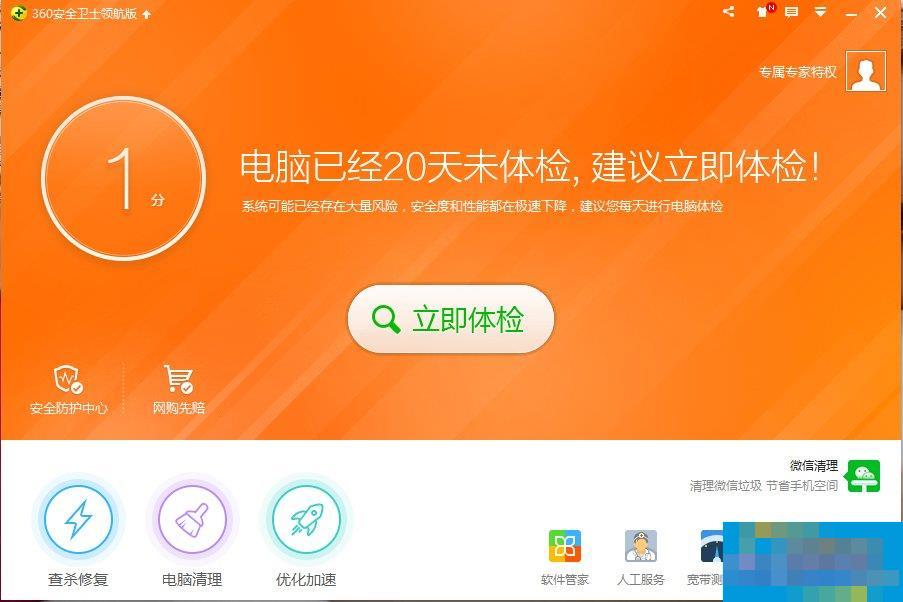
1. We first performed an automatic physical examination, and found that the network security protection was not turned on, and there were risks.
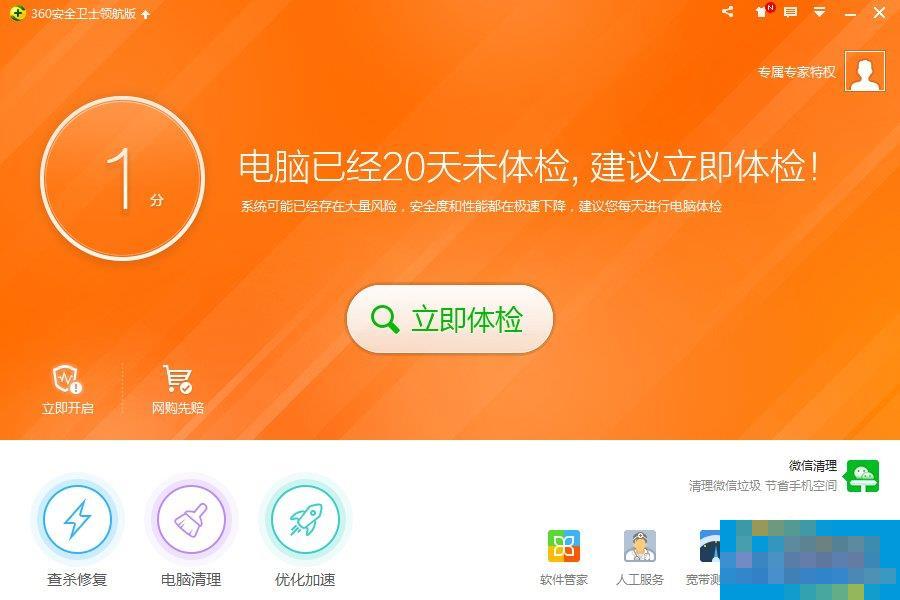
2. When we click to enter, we can see the types of risks that exist, and we can directly click "Open" to repair.
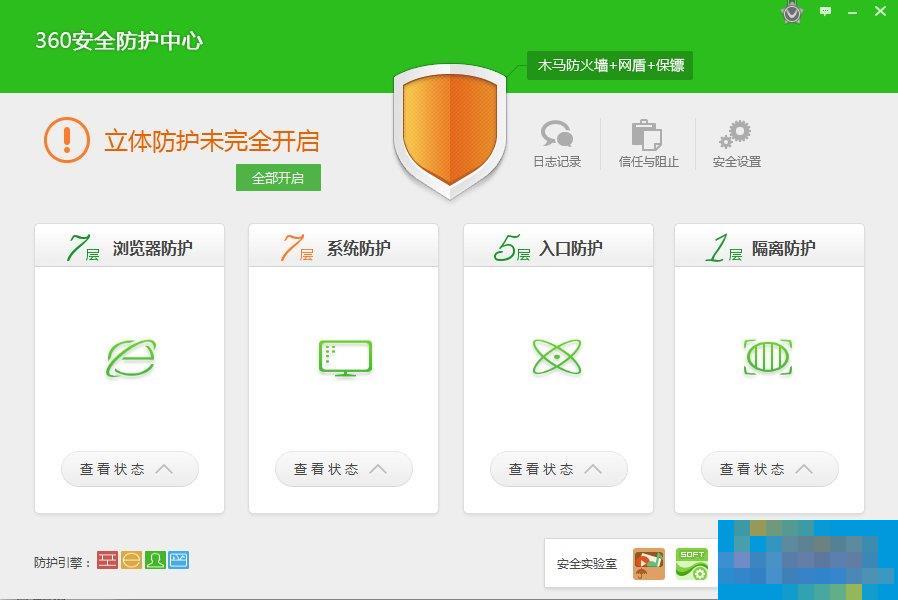
3. We can also click on the "Security Protection Center" to enter all protection settings and enable all security protections with one click.
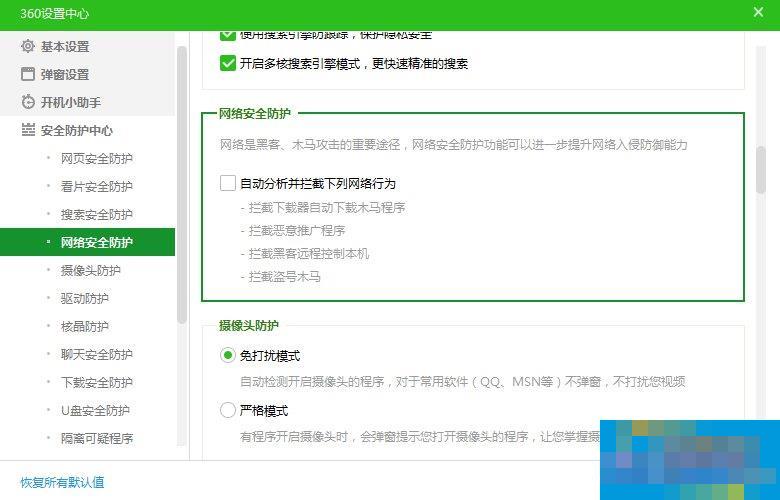
4. You can also click "Security Settings" in the upper right corner of the interface to check whether the security protection is turned on item by item.
5. Finally return to the interface. If you find that "three-dimensional protection is turned on", it means that all protections have been turned on successfully. If a dialog box keeps popping up and cannot be turned on, it means that there is a problem with 360. You can uninstall and then reinstall. If it still cannot be solved, you need to check for viruses or even reinstall the system.
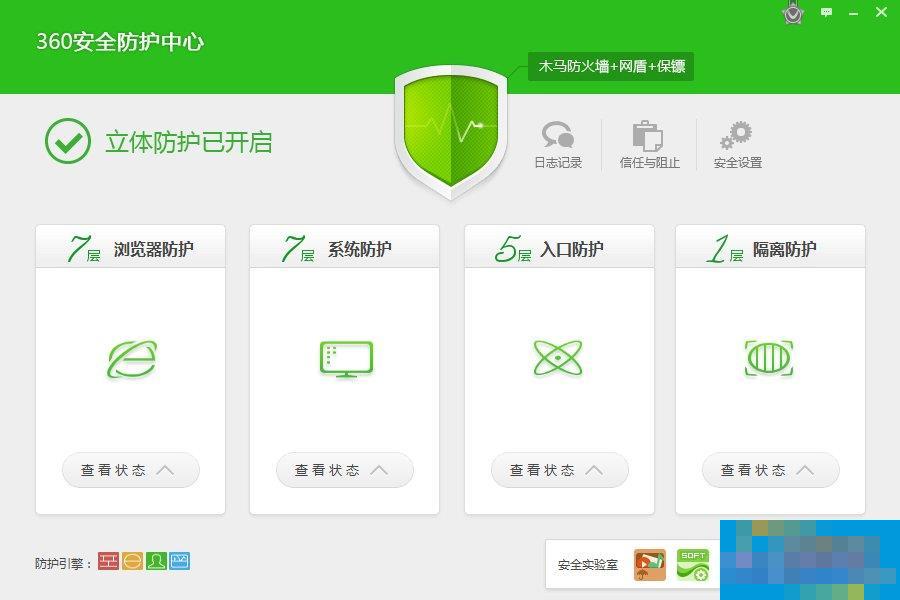
The method of turning on network security protection will be introduced to you in detail here; turning on network security protection can safely protect our computers. If it hasn't been turned on yet, turn it on. If you don't know how to turn it on, there are also methods mentioned above that you can refer to to turn it on.

 How to download, install and register the EA platform (Rotten Orange), one article will teach you
 How to register for Google Mail - understand it all in one article - Huajun Software Park
 How to connect HP wireless printer to WiFi, one article will teach you
 Microsoft Edge browser
 Steam
Steam
 Tencent Video
 WPS Office
 iQiyi
iQiyi
 Sohu video player
 Lightning simulator
 MuMu emulator
 Eggman Party
 Detailed steps for renaming shape layers in Image Factory
 How to exit safe mode on Xiaomi? -How to exit safe mode in Xiaomi
 How to use Xiaomi Mobile Assistant? -Xiaomi Mobile Assistant usage tutorial
 How to force restart Xiaomi phone? -How to force restart your phone in Xiaomi
 How to set the computer shutdown timer? -Tutorial on setting up computer shutdown schedule