
Hot search terms: 360 Security Guard Office365 360 browser WPS Office iQiyi Huawei Cloud Market Tencent Cloud Store
Hot search terms: 360 Security Guard Office365 360 browser WPS Office iQiyi Huawei Cloud Market Tencent Cloud Store

social chat Storage size: 222.06 MB Time: 2016-08-26
Software introduction: Sina Weibo is a very popular communication and interaction platform. Sina Weibo is rich in content, integrating text, pictures, videos, audios, and LBS...
Recently, some friends have asked the editor how to pin their own Weibo on Sina Weibo? The following will bring you the method of pinning your own Weibo on Sina Weibo. Friends who need it can come and learn more.
Step 1: Open Weibo on your mobile phone and select the previously posted Weibo in my Weibo page.
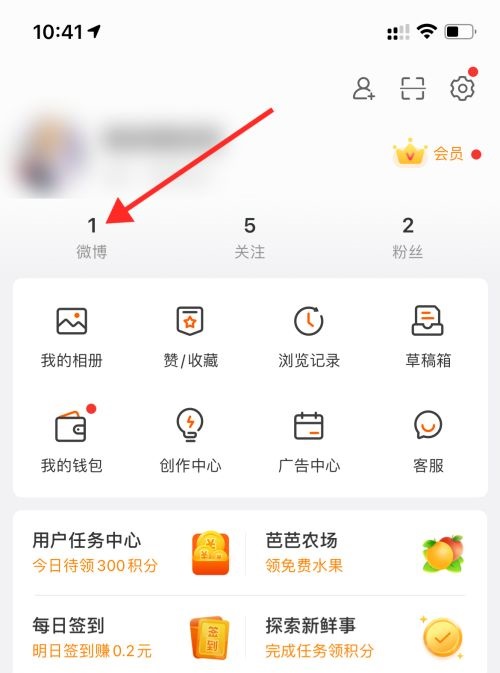
Step 2: Select the top Weibo post and click the “︿” icon on the right, as shown by the arrow in the figure below.
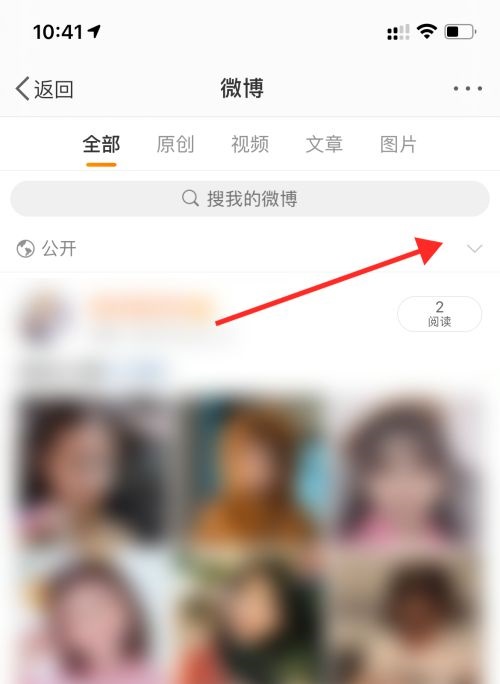
Step 3: In the pop-up content, click "Set as Pinned Weibo".
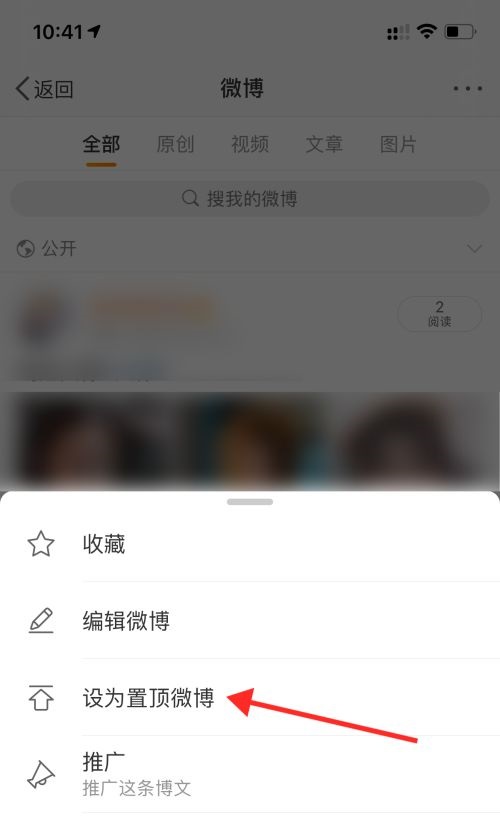
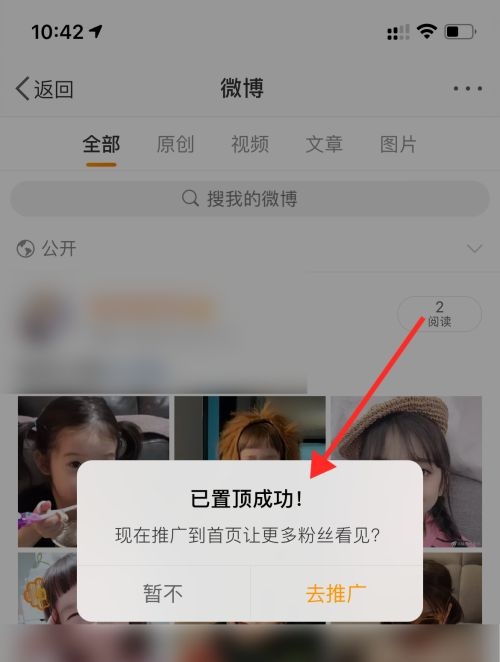
Step 4: It will prompt “Pinned successfully” to complete the operation.
The above is the entire content of how to pin your own Weibo on Sina Weibo brought to you by the editor. I hope it can help you.

 How to cancel the account in Kuai Technology? -How to cancel your account in Kuai Technology
 How to submit feedback on Kuai Technology? -How to submit feedback on Kuai Technology
 How to send a private message to Toutiao today? -How to send private messages to Toutiao today
 movie paradise
 Quark Browser
 little red book
 Chinese University MOOC computer version
 Xiaoetong
 Traffic control 12123
 Minecraft Bedrock Edition
 KMPlayer
 watermelon video
 How to use Fliggy’s student discount? List of student certification methods on Fliggy
 How to find the help center for Panzhi Sales - How to find the help center for Panzhi Sales
 How to change ID card with taptap-How to change ID card with taptap
 How to add friends on steam mobile version - How to add friends on steam mobile version
 How to Chineseize ourplay with one click - How to Chineseize ourplay with one click

