
Hot search terms: 360 Security Guard Office365 360 browser WPS Office iQiyi Huawei Cloud Market Tencent Cloud Store
Hot search terms: 360 Security Guard Office365 360 browser WPS Office iQiyi Huawei Cloud Market Tencent Cloud Store

Document business Storage size: 107.0 MB Time: 2016-08-31
Software introduction: The official version of CamScanner is an all-in-one mobile phone smart phone developed by Shanghai Hehe Information Technology Development Co., Ltd....
还不会使用扫描全能王扫彩色文件吗?那么还不会的朋友赶快来和小编一起学习一下用扫描全能王扫彩色文件的方法吧,希望通过本篇教程的学习,可以帮助大家更好地了解扫描全能王这款软件。
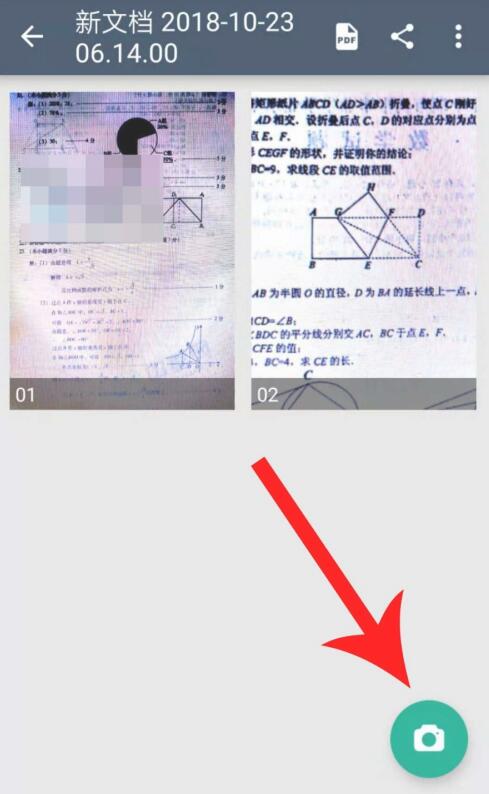
First, open Scanner, then click the scan button to start the scanning operation
After aligning the object to be scanned, adjust the appropriate distance, and finally click the "Scan" button in the middle of the bottom of the interface
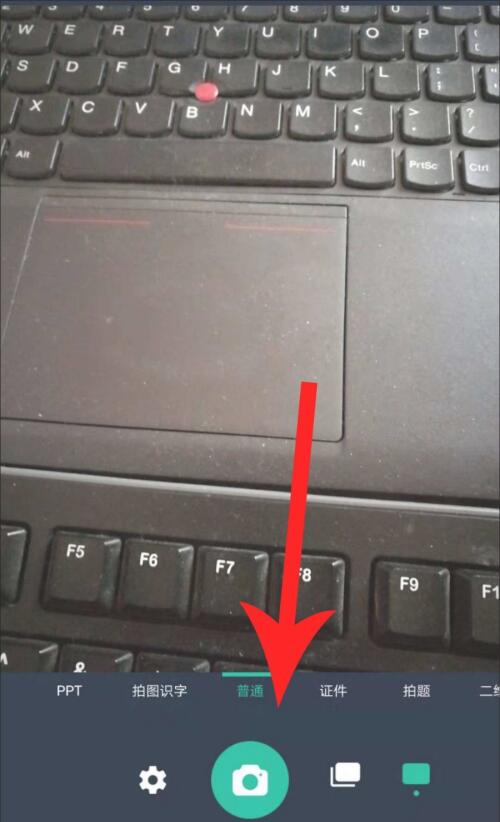
After the scan is completed, adjust the border and finally click "√" in the lower right corner

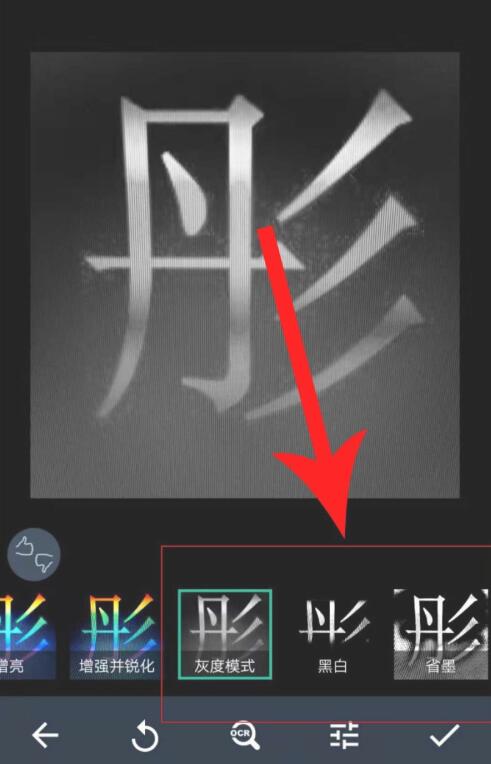
Next, enter the scanned image editing interface. The system default is to select "Enhance and Sharpen". It can be seen that the image at this time is in color, but when you click "Grayscale Mode", "Black and White" and "Ink Save" mode, the image will become gray-white or black-and-white.
If you click the "Original", "Brighten" and "Enhanced and Sharpened" modes on the left, the image will be in color. Therefore, if you want to scan in color, when selecting the image editing mode, select the "Original", "Brightened" and "Enhanced and Sharpened" modes.
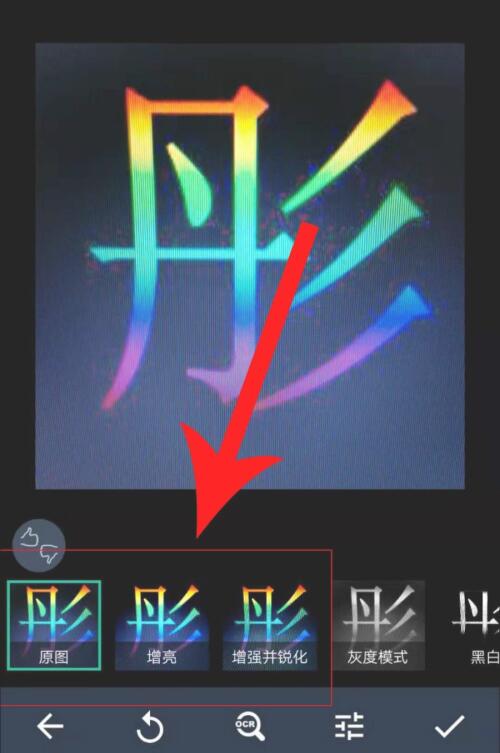
After the image editing is completed, click "√", so that the color scanned file will be displayed on the homepage. Click to open it for preview. You can see that it is in color.


The above is the method shared by the editor to scan color documents with Scanner. Friends in need can take a look.

 How to set the font for Toutiao today? -How to set font in Toutiao
 How to register for Toutiao? -How to register for Toutiao
 How does Toutiao publish news? -How to publish news in Toutiao today
 How to find the cover of Toutiao today? -How to find the cover of Toutiao today
 Quark Browser
 little red book
 Chinese University MOOC computer version
 Xiaoetong
 Traffic control 12123
 Minecraft Bedrock Edition
 KMPlayer
 watermelon video
 Meijia Market TV version
 How to use Fliggy’s student discount? List of student certification methods on Fliggy
 How to find the help center for Panzhi Sales - How to find the help center for Panzhi Sales
 How to change ID card with taptap-How to change ID card with taptap
 How to add friends on steam mobile version - How to add friends on steam mobile version
 How to Chineseize ourplay with one click - How to Chineseize ourplay with one click
