
Hot search terms: 360 Security Guard Office365 360 browser WPS Office iQiyi Huawei Cloud Market Tencent Cloud Store
Hot search terms: 360 Security Guard Office365 360 browser WPS Office iQiyi Huawei Cloud Market Tencent Cloud Store

CAD software Storage size: 6,200,000KB Time: 2022-08-12
Software introduction: ANSYS software is a large-scale general-purpose finite element analysis (FEA) software developed by the American ANSYS company. It is the fastest growing computer in the world...
After the ansys installation fails, how to uninstall ansys cleanly? Some friends may not be sure yet, so today I will bring you the steps to uninstall ansys cleanly. I hope it can help you.
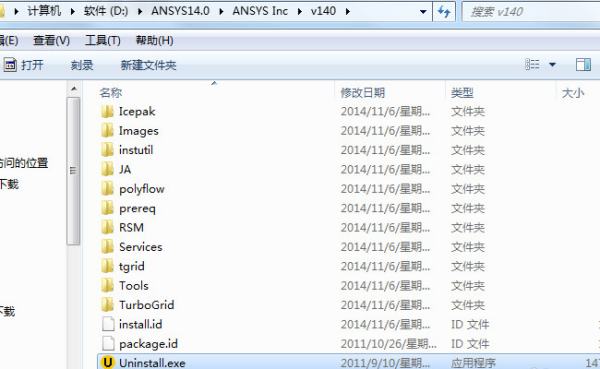
1. Find the uninstaller Uninstall.exe. This is usually in the installation directory.
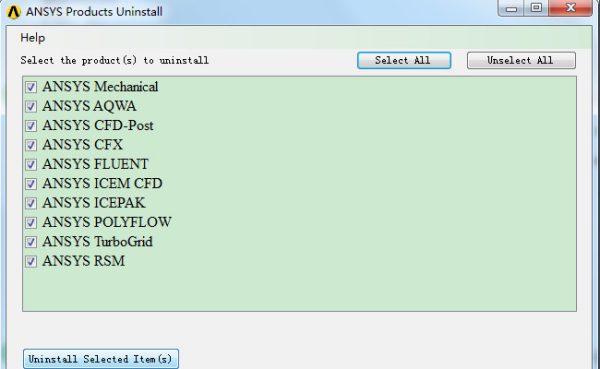
2. Click to run the uninstaller above, as shown in the figure below, select all (select all), and then click to uninstall selected item (uninstall selected item)
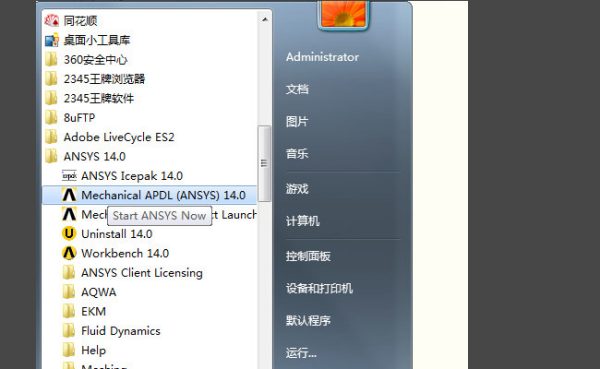
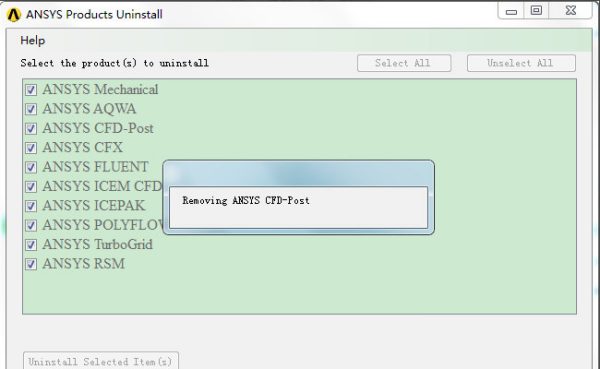
3. After that, the process of automatic uninstallation will continue. Various windows will pop up during the process. Follow the prompts.
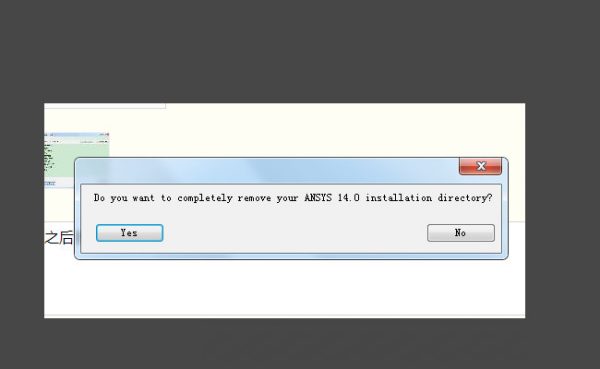
4. A pop-up will appear asking whether to delete the ANSYS 14.0 installation directory. In addition, you can select yes after backing up the required files!
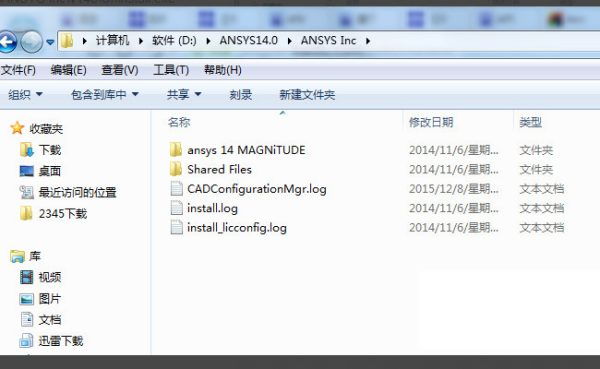
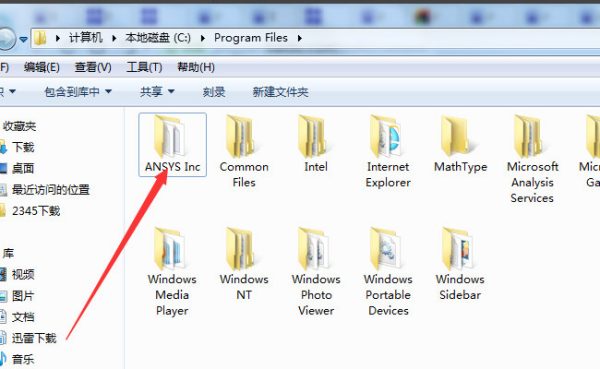
5. In the previous ANSYS installation directory, you will find that there is still something left. Just delete it manually yourself.
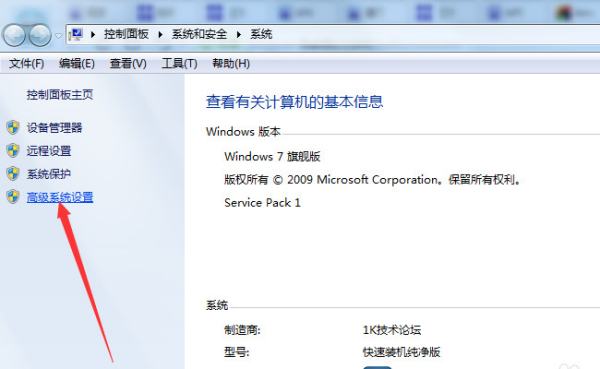
6. Next, manually delete the ANSYS environment variables. Right-click Computer on the desktop, select Properties, and select Advanced System Settings in the pop-up window.
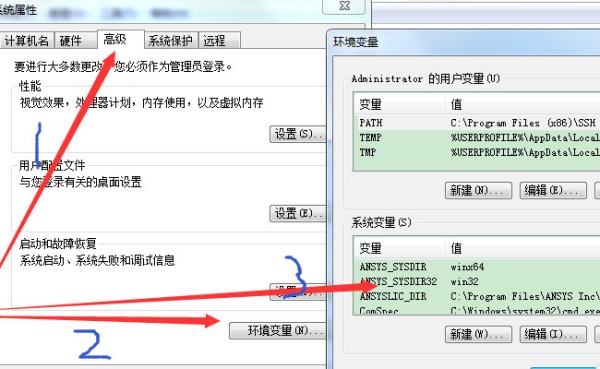
7. In the pop-up window, continue to select: Advanced-Environment Variables, find all environment variables related to ansys and delete them.
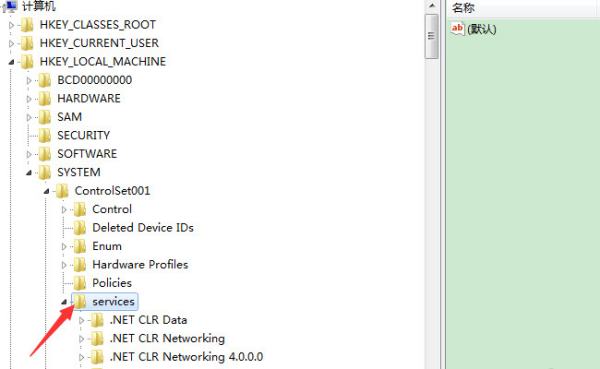
8. Enter regedit in the box below the start, then find the ANSYS-related values in the three below HKEY_LOCAL_MACHINESYSTEM and delete them.
9. The files related to ANSYS, Inc. License Manager were deleted above. The files related to ANSYS, Inc. License Manager need to be deleted below.
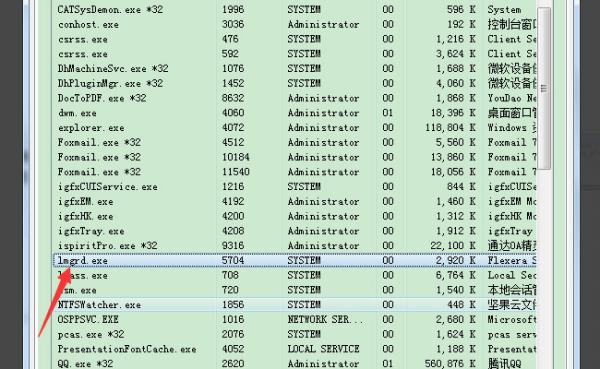
10. If it cannot be deleted, it is usually occupied by a program. Just end the relevant process in the process manager.
11. After uninstalling, if there are any residues, use software to clean up the computer junk. After uninstalling, you can reinstall.
The above are the steps for uninstalling and cleaning Ansys brought by the editor. Friends in need should not miss it.

 How to add background music in python-How to add background music in python
 How to configure environment variables in python - How to configure environment variables in python
 How to run python - How to run python
 How to create a project in python - How to create a project in python
 How to make a blue sky background with scratch-How to make a blue sky background with scratch
 Steam
Steam
 Tencent Video
 WPS Office
 iQiyi
iQiyi
 Sohu video player
 Lightning simulator
 MuMu emulator
 Eggman Party
 WPS Office 2023
 What to do if there is no sound after reinstalling the computer system - Driver Wizard Tutorial
 How to switch accounts in WPS Office 2019-How to switch accounts in WPS Office 2019
 How to clear the cache of Google Chrome - How to clear the cache of Google Chrome
 How to fire bullets in scratch-How to fire bullets in scratch
