
Hot search terms: 360 Security Guard Office365 360 browser WPS Office iQiyi Huawei Cloud Market Tencent Cloud Store
Hot search terms: 360 Security Guard Office365 360 browser WPS Office iQiyi Huawei Cloud Market Tencent Cloud Store

Download tools Storage size: 3.96MB Time: 2021-01-11
Software introduction: It is a network sharing document that can help users better download resources. Bingdian Library does not require registration or recharge. As a powerful...
Many novice friends are not familiar with the Freezing Point Library software, and it is a bit difficult to use it. For this reason, today I will specifically share the operating procedures of Freezing Point Library. Let’s take a look.
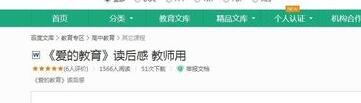
First download Bingdian Library, open the Baidu Library website, find the document information you want to download, click to read the webpage, and copy the address.
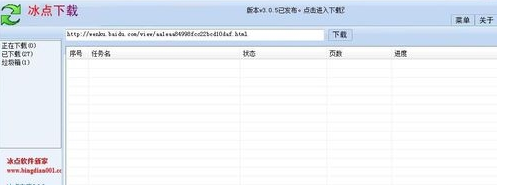
Then open the Freezing Point Library Downloader, paste the URL you just copied into it, and then click Download later.
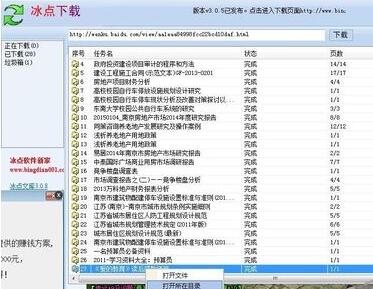
Click Downloaded in the upper left corner, and you can see the downloaded articles there. Right-click on it and select Open Directory to see the downloaded articles.
The above is the operation process of using Freezing Point Library brought to you by the editor. Let’s learn it together. I believe it can help some new users.

 How to draw a lottery in 360 Software Butler - How to draw a lottery in 360 Software Butler
 How to collect software in 360 Software Manager - How to collect software in 360 Software Manager
 Microsoft Edge browser
 Steam
Steam
 Tencent Video
 WPS Office
 iQiyi
iQiyi
 Sohu video player
 Lightning simulator
 MuMu emulator
 Eggman Party
 What to do if there is no sound after reinstalling the computer system - Driver Wizard Tutorial
 How to switch accounts in WPS Office 2019-How to switch accounts in WPS Office 2019
 How to clear the cache of Google Chrome - How to clear the cache of Google Chrome
 How to fire bullets in scratch-How to fire bullets in scratch


