
Hot search terms: 360 Security Guard Office365 360 browser WPS Office iQiyi Huawei Cloud Market Tencent Cloud Store
Hot search terms: 360 Security Guard Office365 360 browser WPS Office iQiyi Huawei Cloud Market Tencent Cloud Store

Game software Storage size: 96.49 MB Time: 2022-08-12
Software introduction: The Youxia Battle Platform is a free game interactive platform officially launched by Youxia.com. The Yoxia Battle Platform covers a wide range of games and can support various...
1. How to connect to the Ranger Battle Platform?
1. Open - Login Tips: It is best to choose to register and log in to become a Ranger member!
2.①Choose a game. I chose the online version of "Don't Starve". It is best to download the latest game so that you can experience the best game fun.
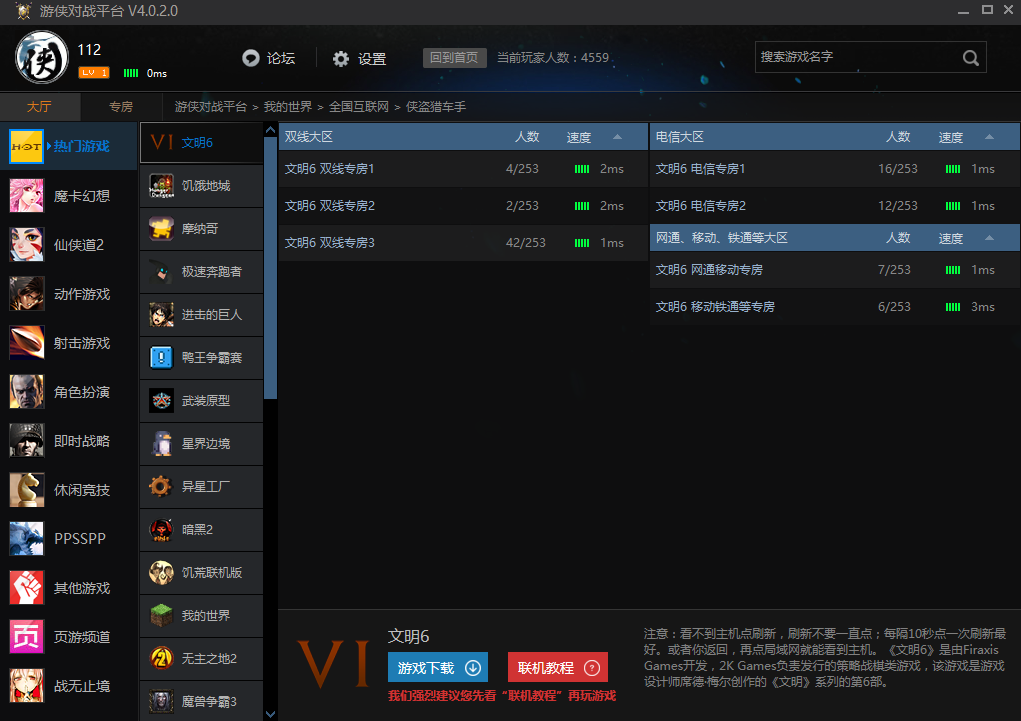
②Select a room, it is recommended to choose dual lines, so that no matter what network you are playing on, there will be no lag. If you are wandering alone, then go to your operator's network O(∩_∩)O~.
③Double-click to enter the room of your choice!

3. ① Settings, after entering the room, you need to set the file selected to start the game!
②Start the game. After setting up, you can start playing!
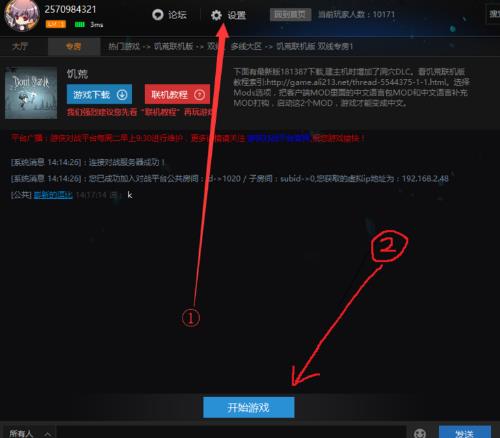
4.①Join the in-game room, and then select the room to add your friend’s name.
②Let’s start playing (^o^)/~
2. How to create a room in the Ranger Battle Platform?
1. First, let’s take a look at our own IP, and then click on the small house-like icon in the upper right corner of the battle platform to create it.
2. Then tell your friends your IP, and your friends can join in.

3. How to add friends in the Ranger Battle Platform?
Users can right-click on the friend's avatar and select Add Friend to add the friend to the list. They can also directly search for the friend's ID in their friend list and then add it. In this way, the friend can be added.

 How to add background music in python-How to add background music in python
 How to configure environment variables in python - How to configure environment variables in python
 How to run python - How to run python
 How to create a project in python - How to create a project in python
 How to make a blue sky background with scratch-How to make a blue sky background with scratch
 Microsoft Edge browser
 Steam
Steam
 Tencent Video
 WPS Office
 iQiyi
iQiyi
 Sohu video player
 Lightning simulator
 MuMu emulator
 Eggman Party
 What to do if there is no sound after reinstalling the computer system - Driver Wizard Tutorial
 How to switch accounts in WPS Office 2019-How to switch accounts in WPS Office 2019
 How to clear the cache of Google Chrome - How to clear the cache of Google Chrome
 How to fire bullets in scratch-How to fire bullets in scratch
