
Hot search terms: 360 Security Guard Office365 360 browser WPS Office iQiyi Huawei Cloud Market Tencent Cloud Store
Hot search terms: 360 Security Guard Office365 360 browser WPS Office iQiyi Huawei Cloud Market Tencent Cloud Store
How to use Android emulator? Today, the editor will introduce to you a tutorial on how to use the Android emulator.
Method steps
1. With the rise of mobile games, more friends will choose to use their mobile phones to play games in their spare time. However, they will find that it is inconvenient to operate the mobile phone, so we need to use an Android emulator. Today I will teach you how to use it.
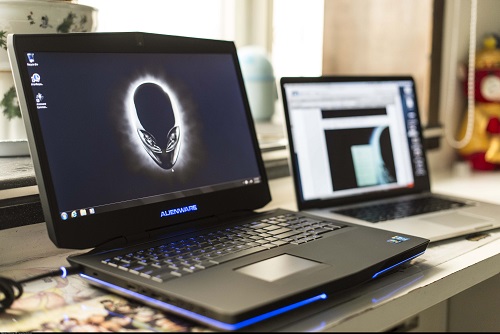
2. First of all, there are many Android emulators on the market, and most of the functions are similar, so here I only choose one as an example. You first download and install the emulator, so I won’t go into details here.
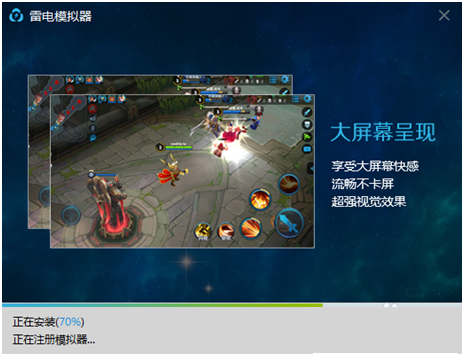
3. After the installation is completed, we can start the simulator, which will provide users with a virtual positioning function. We will see a landmark button on the right side, and click it to set the location.

3. After learning how to locate, we need to download the application. There are several application download markets prepared for users in the simulator. We can search and download the application there, or friends can download an apk installation package on the computer and drag it to the simulator to install it.
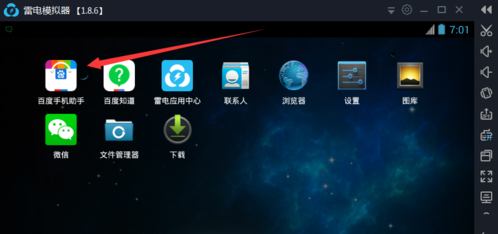
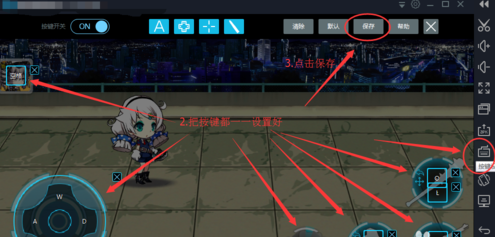
4. After learning to install the software, we also need to set the button positions of the game. We will find an icon on the right side of the emulator, indicated by the arrow. This is the button setting option.
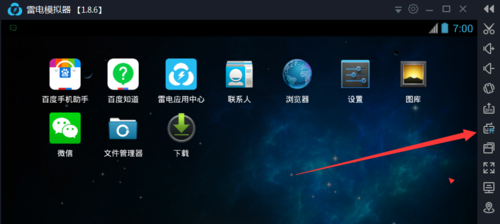
5. Then we can set the key positions in the page that opens. Friends can set the keys to their favorite key sequence. Finally, don’t forget to click Save.
Editor's summary
The above is the tutorial on using the Android emulator. Friends, you can choose an emulator at will. Most of them are OK. Go and try it.

 How to add background music in python-How to add background music in python
 How to configure environment variables in python - How to configure environment variables in python
 How to run python - How to run python
 How to create a project in python - How to create a project in python
 How to make a blue sky background with scratch-How to make a blue sky background with scratch
 Microsoft Edge browser
 Steam
Steam
 Tencent Video
 WPS Office
 iQiyi
iQiyi
 Sohu video player
 Lightning simulator
 MuMu emulator
 Eggman Party
 What to do if there is no sound after reinstalling the computer system - Driver Wizard Tutorial
 How to switch accounts in WPS Office 2019-How to switch accounts in WPS Office 2019
 How to clear the cache of Google Chrome - How to clear the cache of Google Chrome
 How to fire bullets in scratch-How to fire bullets in scratch
