
Hot search terms: 360 Security Guard Office365 360 browser WPS Office iQiyi Huawei Cloud Market Tencent Cloud Store
Hot search terms: 360 Security Guard Office365 360 browser WPS Office iQiyi Huawei Cloud Market Tencent Cloud Store
System assistance Storage size: 2.64MB Time: 2012-03-12
Software introduction: Lingyun screen resolution setting supports all computer monitor types, even TV monitor types, screen resolution, color quality...
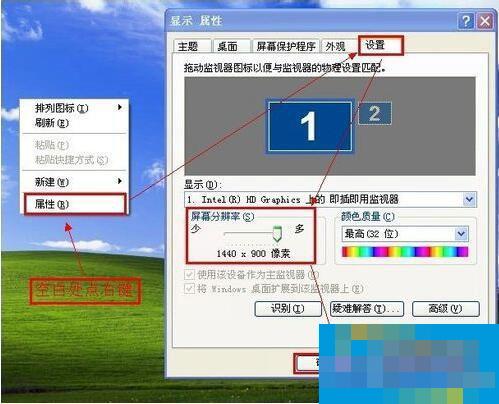
Let’s first introduce how to adjust the resolution. The picture below shows the setting method for WinXP:
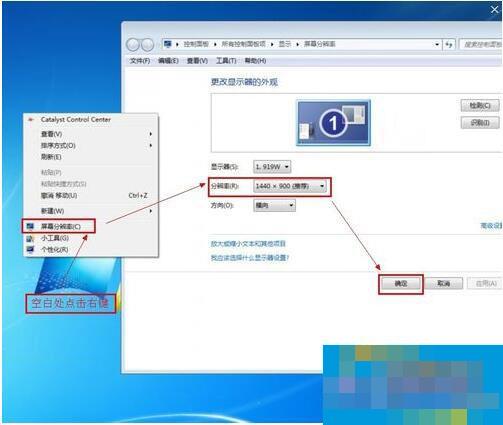
The method of adjusting the resolution of Win7 is as shown in the figure:
Note: Win8 is also set up this way.
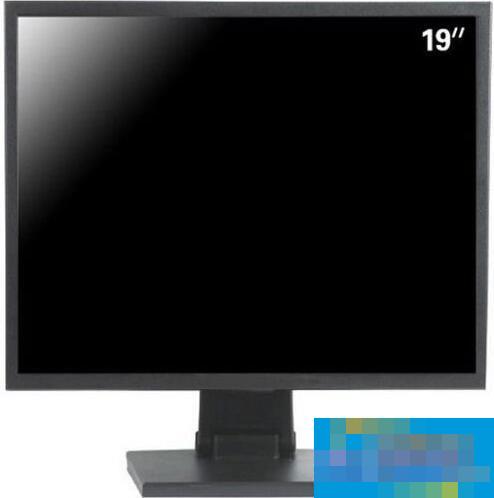
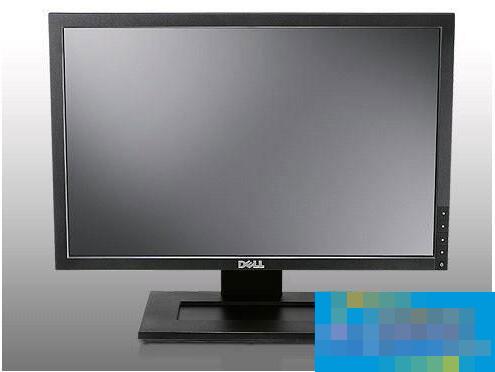
19-inch LCD monitor (normal screen/front screen) resolution: 1280×1024
19-inch LCD monitor (widescreen) resolution: 1440×900

 How to draw a lottery in 360 Software Butler - How to draw a lottery in 360 Software Butler
 Microsoft Edge browser
 Steam
Steam
 Tencent Video
 WPS Office
 iQiyi
iQiyi
 Sohu video player
 Lightning simulator
 MuMu emulator
 Eggman Party
 What to do if there is no sound after reinstalling the computer system - Driver Wizard Tutorial
 How to switch accounts in WPS Office 2019-How to switch accounts in WPS Office 2019
 How to clear the cache of Google Chrome - How to clear the cache of Google Chrome
 How to fire bullets in scratch-How to fire bullets in scratch


